Websites for Mobile: Design, Optimization, and User Experience

Mobile websites are meant to work smoothly on smartphones and tablets, making it easier for people to browse, shop, or just get information on the go.

With over half of all internet traffic now coming from mobile devices, having a site that adapts well to different screen sizes is, honestly, non-negotiable if you want to reach and keep visitors.

Poorly designed mobile sites? They can drive people away with slow loading, tiny text, or menus that just don’t make sense.


A successful mobile site leans into simplicity and ease of use.

Clear buttons, fast-loading images, and intuitive menus help users find what they need without frustration.

Good mobile design also means thinking about how people use their thumbs, cutting out clutter, and making sure the site looks sharp on any device.

Many top websites combine visual appeal with practical features like search bars, easy checkout flows, and well-organized content.

Their approach shows how balancing style and function can really make or break the mobile experience.

Key Takeways

  • Mobile websites must be easy to navigate on small screens.
  • Clear layouts and fast loading improve user experience.
  • Effective mobile sites combine good design with useful features.

Core Principles of Mobile Website Design

A smartphone displaying a clean mobile website interface surrounded by icons representing navigation, responsiveness, speed, and accessibility.

Mobile websites need to load quickly, display clearly on small screens, and just work—no matter where you are.

Designing for mobile users affects everything, from the site layout to how it shows up in Google search.

Understanding responsive design and why mobile-first indexing matters is honestly at the core of building a solid site.

Responsive Design Fundamentals

Responsive design means your website adapts to whatever screen it’s on, thanks to flexible grids and images.

So whether someone’s on a phone, tablet, or desktop, the experience is consistent.

You want scalable images, layouts that adjust, and text that’s readable—no pinching or zooming required.

Buttons should be big enough for thumbs, and menus? Keep them simple.

Loading speed matters, too—a responsive site should load in under four seconds, even on a slow connection.

This approach also means you don’t need separate mobile and desktop sites, which makes life easier for everyone.

It’s just less to maintain and delivers content fast and clear.

Mobile-First Indexing and SEO Benefits

Mobile-first indexing is basically Google saying, “We care about your mobile site most.”

If your mobile experience is solid, you’ll rank better.

Sites that load quickly, are easy to get around, and have clear calls-to-action just perform better in search results.

Content needs to be prioritized—put the important stuff at the top so users get what they need, fast.

Optimizing for mobile also means using smaller images and fewer scripts.

Mobile-first indexing pushes everyone to put mobile design first, which is good for users and your SEO.

Key Differences Between Mobile and Desktop Sites

Mobile sites have to focus on speed, simplicity, and easy navigation, since screens are smaller and people are often in a hurry.

Desktop sites can get away with more detail and bigger menus.

Touch replaces clicks, so buttons need to be larger and spaced out to avoid mis-taps.

Mobile users are usually after quick answers, so search features and calls-to-action should be front and center.

Forms? Only ask for the essentials—nobody wants to fill out a novel on their phone.

Desktop users might browse longer, but mobile folks want fast access to info or actions.

For more on responsive design, check out 9 Principles of Mobile Web Design from HubSpot.

Essential Elements of Effective Mobile Websites
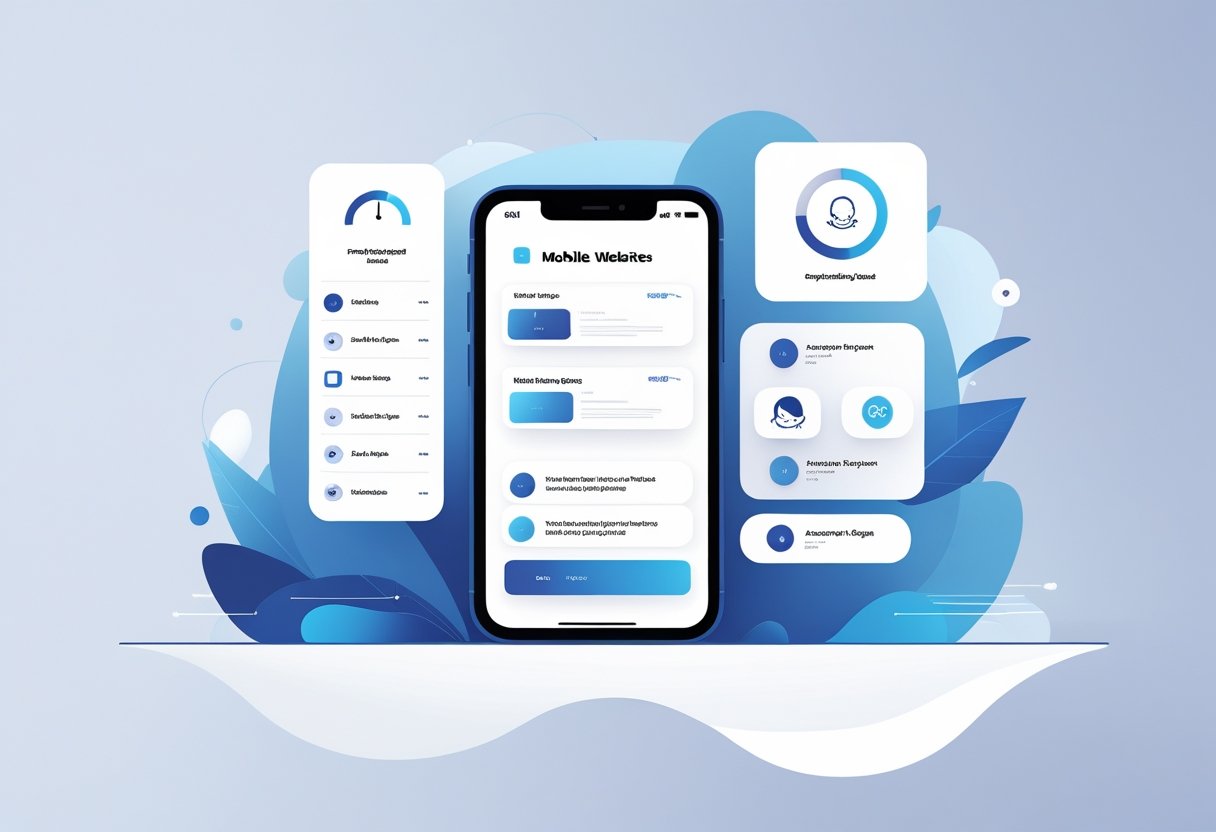
A smartphone displaying a well-organized mobile website surrounded by icons representing fast loading, user experience, mobile-friendly design, and accessibility.

Mobile websites have to be easy to use, quick, and visually simple.

Smooth navigation, fast load times, and clean designs that focus on the essentials are what people expect now.

Navigation Strategies for Small Screens

Navigation on mobile can’t be complicated.

Menus should use familiar icons—like the hamburger menu—to save space.

Touch targets need to be at least 44×44 pixels so people don’t tap the wrong thing.

A fixed header menu means users don’t have to scroll all the way up to navigate.

Main navigation should stick to 4-8 core sections, so it doesn’t overwhelm.

If you have multi-level menus, stack them vertically for easy scrolling.

Give buttons enough space apart so people aren’t mis-tapping.

Highlighting where users are in the menu helps, too.

Always test navigation on different devices—what works on one phone might not on another.

Optimizing Load Time and Performance

Fast load times are everything for mobile websites.

Sites should load in under three seconds, or people will bounce.

Keep images compressed but still sharp.

Lazy loading delays off-screen images, making the first load faster.

Cut down on third-party scripts—they can really slow things down.

Browser caching stores files locally, so repeat visits are quicker.

Using efficient file formats like WebP also helps.

Testing with tools like Google’s PageSpeed Insights is a must.

Regular checks help you catch slowdowns before they annoy users.

Minimalist Design Best Practices

Minimalist design keeps things focused.

Too many elements or clutter just distract people and slow down your site.

Stick to a simple color palette—two to five colors with good contrast is usually enough.

Typography should be at least 16px with decent line height for readability on small screens.

Break content into short blocks for easy scanning.

White space is your friend—it keeps things from feeling crowded.

Buttons and links need to be clear and easy to tap.

Cut out anything unnecessary.

Minimalism isn’t about being boring—it’s about making things usable and fast.

For more, see Mobile Website Design Best Practices for 2025.

Enhancing Mobile User Experience

A group of people working together around a digital table with mobile devices displaying website designs.

Making mobile sites smooth and accessible is all about ease, engagement, and inclusivity.

Easy navigation, interactive content, and a bit of thoughtful design keep people around longer.

Touch-Friendly Interactions

Touchscreens mean buttons and links have to be easy to tap.

Targets should be at least 44×44 pixels—no one likes mis-taps.

Spacing between elements (8-10 pixels) helps, too.

Buttons should give feedback—like a color change or a little animation—so people know their tap worked.

Put important buttons where thumbs naturally reach, usually the lower center or edges.

Keep interactive elements in the same place across pages so people don’t get lost.

And use clear labels—especially for those using screen readers.

Incorporating Quizzes and User Reviews

Quizzes are a fun way to engage visitors and collect feedback.

Keep them short and visually simple.

Multiple-choice or sliders are best—nobody wants to type a lot on mobile.

User reviews help build trust.

Show star ratings up front and let users read summaries before diving into full comments.

Keep reviews in short paragraphs for easy reading.

Filtering options are a nice touch so people can find what matters to them.

Make sure the review submit button is easy to find and tap.

And don’t let quizzes or reviews slow down the page.

Accessibility Considerations

Accessibility means everyone can use your site.

High contrast between text and background is a must—aim for at least a 4.5:1 ratio.

Font sizes should be 16px or bigger.

Give text enough line spacing so it doesn’t look crowded.

Use clear headings and lists so screen readers can make sense of the content.

Labels for buttons and inputs should be descriptive and coded right for assistive tech.

Keyboard focus states help users who don’t use touchscreens.

Testing with accessibility tools is important—don’t just guess.

For more detail, see how to enhance mobile user experience.

Inspiring Mobile Web Design Examples

Multiple smartphones and tablets displaying colorful and modern mobile website designs arranged together.

Great mobile web design is about balancing looks and function so the experience feels right on a small screen.

The best sites use clear navigation, optimized images, and interactive touches to keep things smooth.

Strong examples show how creativity and practical needs can work together, no matter the industry.

Award-Winning Mobile Sites

Award-winning mobile sites usually stand out for their clean layouts, fast load times, and interfaces that just make sense.

Luxury brands like Yves Saint Laurent go minimalist, with big images and sticky navigation that feels elegant.

Trello’s card-based system works beautifully on mobile, letting you manage tasks with a swipe or tap.

Animation and smooth transitions can boost engagement, as long as they don’t slow things down.

These sites show that thoughtful design brings people back.

Key features you’ll see:

  • Simple, intuitive navigation
  • Visuals sized for mobile screens
  • Interactive elements that don’t bog down performance

Industry-Specific Mobile Website Inspiration

Mobile design isn’t one-size-fits-all.

For e-commerce, brands like Chobani use bright images and clear categories to make shopping easy.

Recipe sites like NYT Cooking offer organized categories and handy tools like shopping lists.

Social platforms such as Tumblr and Jambo Club use endless scrolling with smooth loading to keep people engaged.

Professional sites like Porsche rely on detailed visuals and customization features to hook enthusiasts.

Art, retail, and education sites adapt their mobile experiences to fit their unique goals.

This kind of specialization really boosts both user satisfaction and business outcomes.

For more examples, check out effective mobile web design and browse mobile website design inspiration galleries.

Frequently Asked Questions

Mobile website design takes some real attention to user experience, loading speed, and just making things easy to get around.

Picking the right tools and templates is a big part of making sure your site feels smooth and works well.

How can I ensure a website is mobile-friendly?

Use responsive design so layouts adapt to any screen size.

Test on different devices and browsers—sometimes things break where you least expect.

Optimize images, cut down on scripts, and focus on speed.

What are the top considerations when designing websites for mobile devices?

Prioritize fast load times, clear navigation, and text that’s easy to read without zooming.

Touch-friendly buttons and simple layouts make a huge difference.

Keep the most important content front and center, and avoid clutter.

Where can one find examples of effective mobile website design?

Sites like Shopify and Search Engine Journal have collections of well-designed mobile sites.

Looking at these can help you spot trends and get a feel for what works.

What are the best practices for converting an existing website to a mobile-friendly version?

Start by checking how your site performs on mobile now.

Implement responsive design or use separate mobile templates if you have to.

Simplify navigation, reduce page size, and test interactions as you go.

What should be the priority when selecting a mobile website design template?

Pick templates that are responsive right out of the box.

They should load fast and be easy to customize for your business.

Don’t forget about accessibility and compatibility with different devices—those details matter.

Can you list some free resources for creating mobile-optimized websites?

Platforms like WordPress and Wix have free themes built with mobile users in mind. You just pick a theme, and most of the heavy lifting is already done for you.

If you’re not sure whether your site’s up to scratch, Google’s Mobile-Friendly Test tool is pretty handy. It’s quick, straightforward, and gives you instant feedback—sometimes a bit blunt, but it gets the job done.

You might also want to check out Bootstrap or Google Web Designer. Both offer frameworks that make it easier to build something that actually looks good on a phone or tablet.

If you’re curious about making FAQ pages that help people help themselves (and maybe save you a few support emails), the Shopify guide on how to create FAQ page is worth a look.

WordPress vs. Wix: Costs, Pros & Cons, What’s Best for Your Website

WordPress vs. Wix: Costs, Trade-Offs, SEO, Flexibility & Which to Pick

What Are They, Exactly?

  • WordPress.org (Self-hosted WordPress): Open-source content management system (CMS). You host your site (or pay a host), install software, themes, plugins, etc. High flexibility, many moving parts.

  • Wix: Proprietary, cloud-based website builder. Hosting, templates, builder tools, security, and many features are bundled. More limited for raw customization and switching hosts or exporting everything.


Detailed Cost Breakdown (2025)

Here are real numbers and estimates based on recent comparison studies:

Cost ComponentWordPress (Self-Hosted)Wix (2025 Premium Plans & Features)
Base SoftwareFree (WordPress core is GPL)There is a free tier, but limited, with Wix branding, domain not custom, etc. Website Builder Expert+1
HostingShared hosting: US$3-10/month; Managed WordPress or specialized host can run US$20-80+ / month depending on traffic, resources. Davydov Consulting+1Hosting included in Wix plans; you don’t separately manage server infrastructure. Davydov Consulting+1
Domain Name~US$10-20/year (for common TLDs)Free for first year with many Wix plans; then renewal fees apply. Davydov Consulting+1
Template / ThemesThere are free themes; premium themes often cost US$30-100+ one-time or/year. Custom theme development much more. Website Builder Expert+1Many Wix templates free; premium templates included in higher plans. You can’t easily switch templates without rebuilding content/layout. Enzuzo+1
Plugins / Apps / ExtensionsPlugins are abundant — free & paid; advanced features (SEO, security, backups, performance) often require paid plugins or developer resources. Cloudways+1Wix Apps or built-in features; simpler to enable, but sometimes less configurable. Some “advanced” features cost more or only available with higher-tier plans. Davydov Consulting+1
Maintenance, Updates, SecurityWordPress site owners need to manage updates of core, theme, plugins; backups; security hardening; potential costs of plugins or external services. Cloudways+1Wix handles updates, hosting security, SSL, backups, etc., by default. Less hands-on required. The Blogsmith+1
Ecommerce / Advanced FeaturesWooCommerce or other ecommerce plugins, custom shipping/payment/integration often needed; cost rises with scale. Slickplan+1Wix has built-in ecommerce in their relevant plans; good for small→medium stores; for very complex stores or heavy custom logic, may be restrictive. Elite Strategies+1

Examples from recent studies:

  • According to Davydov Consulting, Wix’s “Classic Editor” plans range from about US$16/month (Combo) up to ~US$45/month (VIP) for features such as custom domain, SEO, and e-commerce components. Davydov Consulting

  • From WebsiteBuilderExpert, Wix premium plans run in similar tiers (~US$17 to ~US$159/month depending on features, storage, support). Website Builder Expert


SEO & Performance: Strengths, Weaknesses, Real Quotes

SEO is often a deciding factor. Both platforms have made improvements, but trade-offs remain.

Wix SEO: What’s Improved & What’s Still Limiting

Strengths:

  • Built-in SEO tools & checklists: Wix now offers a guided checklist to help with SEO basics: meta tags, titles, sitemaps, alt text. Cybernews+1

  • Automatic optimizations: Caching, image optimization (e.g. auto-WebP), server-side rendering for search engines, improved URL structure, better mobile performance. The Blogsmith+1

  • Better crawlability/indexation: Previously, features like robots.txt or custom sitemaps were limited; now Wix gives more control over those technical parts. Seobility+1

Weaknesses / Limitations:

  • Code bloat / global script/style loads: Even unused scripts/styles may load site-wide, slowing down page speed. Seobility+1

  • Advanced SEO harder: Deep structured data, fine-tuned performance at scale, complex URL customizations, or custom server-side logic are harder or impossible. Website Builder Expert+1

Quote:

“Wix SEO tools are a good starting point for beginners … Some advanced website owners will find Wix SEO tools to be limiting and not enough for larger sites.” — Cybernews review of Wix in 2025. Cybernews

Another:

“The attraction of Wix — and the reason it’s so popular with small business owners — is that it’s ridiculously easy to set up a website … But it’s that inherent simplicity that makes Wix less appealing to SEO professionals.” — from Seobility’s “Tested: Is Wix Good For SEO in 2024?” Seobility

WordPress SEO: Strengths & What You Get

  • Full control: You choose hosting, caching, CDN, which themes/plugins are used, custom code, structured data, etc. You are not limited by a closed environment. (Many SEO experts prefer WordPress for large, content-rich sites because of this.) Slickplan+1

  • Plugin ecosystem: Plugins like Yoast SEO, Rank Math, etc., give tools that go deep — from redirect management, custom schema, fine control over headings, local SEO, international SEO.

  • Scalability and performance tuning: Better ability to optimize load times (server selection, caching layers, asset optimizations), especially for large sites.

  • Data ownership and portability: Since WordPress is open source, you can move hosts, export your site data, alter backend when needed. Not tied to proprietary platform restrictions.

But: you must manage all this—hosting, security, performance, backups, plugin updates, etc. If neglected, you suffer downtime, security vulnerabilities, or slow performance.


Pros & Cons: Side-by-Side with Specifics

Here are more detailed pros & cons based on recent reviews and feedback.

DimensionWordPress (Self-Hosted)Wix
Ease of Getting StartedTakes more steps: pick host, install WP, choose theme, install plugins. Visual builders help but still steeper. Elementor+1Very fast setup: drag-and-drop, templates, everything integrated. Launch often possible in hours. Slickplan+1
Design / Template FlexibilityThousands of themes; you can build child themes, modify templates; can change design later more freely.Many templates; good aesthetic; but once live, switching templates or reworking layout often requires manual rework. Template locking is a limitation. Enzuzo+1
Maintenance BurdenUp to you (or your team): updates, security patches, backups, plugin vulnerabilities. If unattended, risk is high.Wix handles core upkeep. Less risk of plugin conflicts or hosting misconfigurations; you trade off flexibility/responsiveness.
Scalability & GrowthVery good. With the right hosting and architecture, WordPress can handle high traffic, large content volumes, extensive integrations.For small to medium scale, Wix works well. For enterprise-level scale, high traffic, heavy integrations, or complex workflows, Wix’s locked environment and performance limitations may hinder. Cybernews points out “advanced website owners will find Wix SEO tools … not enough for larger sites.” Cybernews
Cost Predictability vs Hidden CostsYou pay only what you choose: hosting, premium themes/plugins, performance tools. But you may get surprise costs (security plugin, high bandwidth, developer time).More predictable monthly cost, since hosting etc. included. But upgrades for more features, storage, or support add up, and certain advanced features cost more or are limited.
Support, Community & ResourcesHuge global community; countless tutorials, plugin developers; many hosting providers offer WordPress-specialized support.Wix has more centralized support; good documentation and help; great for non-technical users. But if you hit a limitation, fewer options to “hack around” or extend the platform beyond what Wix allows.
SEO & Performance (Deeper Levels)Full potential for performance tuning: server, caching, CDNs, lazy loading, custom code, etc. You can optimize every layer.Basic to moderate SEO and performance features good; deeper control is limited. Speed can suffer if many apps/scripts/templates cause overhead. Wix has improved markedly (see below), but still some trade-offs.

Real-World Use-Cases & Which Platform Serves Them Better

To help you decide, here are contexts where each platform tends to fit better, based on recent reviews and actual case studies.

Use CaseWhy WordPress WinsWhy Wix Might Be Enough / Better
Small business brochure / portfolio siteOverkill in some cases; requires more effort. But gives future flexibility.Wix is often ideal here: fast, polished, low maintenance, no technical overhead. For someone wanting a site in a day, Wix usually wins.
Blog or content hub with regular publishing, SEO priorityWordPress gives better tools for content management, internal linking, schema, photo optimization, indexing control.Wix can work, especially for general content and small niches; works better now than in the past. But might hit ceilings with very large sites or high competition.
Ecommerce store (small to medium)With WooCommerce (or other plugins) you get strong control over inventory, shipping, payment gateways, flexibility. More ability to expand or customize.Wix offers built-in ecommerce; great for simple stores, fewer SKUs, standard payment options, etc. But for highly custom logic, advanced shipping, or external integrations, it could stretch limitations.
Multilingual / International SitesWordPress with the right plugins or setup does multilingual well; more ability to fine-tune how content is served.Wix has improved multilingual support but historically it was weaker; may not have as many options for complex language routing or translation workflows. The Blogsmith
High traffic / Enterprise / Custom IntegrationWordPress has flexibility to scale, use advanced hosting/CDNs, integrate custom APIs, microservices. Better suited for agencies, large orgs.Wix probably less suited: because of its closed environment, limits on custom code or server control; may have performance constraints at scale.

Recent Quotes & Reviews

  • From Cloudways (“WordPress vs Wix? The Decision That Could Make or Break Your Site”):

    “WordPress is a powerful, open-source platform loved by developers and large businesses. Wix, on the other hand, is a user-friendly website builder designed for simplicity.” Cloudways

  • From Wix itself (blog post “Is Wix SEO-friendly?”):

    “Wix is fine for SEO. A few years back it was pretty bad in terms of SEO, but they’ve made fantastic progress, and are now a fine platform for businesses.” and “82% of users saw improvements in their Google rankings after using Wix SEO tools.” wix.com

  • From Cybernews (Wix review):

    “Wix SEO tools are a good starting point for beginners … Some advanced website owners will find Wix SEO tools to be limiting and not enough for larger sites.” Cybernews

  • From Seobility (on Wix):

    “While the SEO basics (titles, meta tags, etc) are controllable, the platform … is relatively rigid. Which makes deeper optimization and tinkering more challenging.” Seobility


Hidden / Opportunity Costs & Things People Often Overlook

When comparing WordPress vs Wix, there are less obvious costs and trade-offs that often come up:

  • Template switching costs (Wix): once you’ve built a site, changing the template or design often requires rebuilding layouts, content may need tweaking, mobile version redesign, etc.

  • Plugin/add-on dependency in WordPress: while plugins add flexibility, they also add risk: mismatched updates, security vulnerabilities, plugin conflicts, or abandoned plugins. If one plugin breaks, it can affect many parts of the site. Ongoing maintenanceally increasing cost and effort.

  • Support & Learning costs: WordPress users often need to invest time (or budget for hiring) to learn hosting, security, backups, plugin selection, performance tuning. Wix reduces that because much is handled for you—but pays in reduced control.

  • Migration / Portability: Moving away from Wix is harder. Because Wix doesn’t allow you to export the site fully (for example, templates and backend logic), migration often means rebuilding. With WordPress you can migrate hosts, change themes, export data, etc.

  • Performance issues at scale: as content and traffic increase, WordPress sites (with good architecture) can scale better; Wix may work fine for moderate scale, but can have limitations when you need heavy custom behavior or large data operations.


How to Decide What’s Best For You

Here’s a decision framework with specific questions:

  1. What’s your goal & timeline?

    • If you need to launch fast, perhaps with minimal budgeting, go Wix.

    • If you aim for growth, custom features, SEO competitive niches, WordPress might pay off better in the long run.

  2. How technical are you (or do you have support)?

    • WordPress requires more technical decisions (hosting, theme/plugin quality, backups, security).

    • Wix abstracts away much of that.

  3. How important is flexibility / ownership / control?

    • If you think you’ll need to move to different hosts, change functionality, integrate deeply or heavily customize, WordPress is better.

    • If you’re okay with what Wix gives out-of-box and don’t foresee big technical challenges, Wix is simpler.

  4. How serious is your SEO competition?

    • Competitive keywords, fast page speed, optimized content, schema, site structure matter. WordPress gives deeper tools; Wix is improving but may hit ceilings sooner.

  5. Budget, including ongoing costs and labor.

    • WordPress may have lower base cost, but you’ll invest in hosting, premium themes/plugins, maybe help from developers.

    • Wix gives clearer monthly costs, but you’ll eventually pay more for advanced or growth needs, maybe more expensive “premium plan” fees.


Key Feature Comparison: What to Look For

Some specific features or metrics you may want to compare in your analysis or testing:

  • Core Web Vitals (Largest Contentful Paint, Cumulative Layout Shift, First Input Delay)

  • Template flexibility & content portability

  • Plugin or App Ecosystem quality, frequency of updates

  • Structured data / schema support

  • Multilingual / translation workflow

  • Custom form / data logic / conditional workflows

  • Ecommerce / payments / shipping / discount logic

  • Backup, staging, security auditing


Summary & Recommended Scenarios

  • Choose WordPress when:

    • You need a scalable site with ability to grow features, traffic, content.

    • SEO is central to your marketing strategy and competition level is high.

    • You want full data ownership, ability to move or change hosting.

    • You are comfortable (or can hire) technical/workflow support for maintenance, security, performance.

  • Choose Wix when:

    • You want to launch quickly, with minimal setup.

    • Your site is relatively simple: small business, portfolio, small store, event or landing-page site.

    • You prefer predictable pricing and less ongoing technical maintenance.

    • You don’t expect to outgrow what Wix offers in design or features very quickly.


Checklist – “WordPress vs. Wix: Quick Decision Guide

✅ 1) Downloadable Checklist – “WordPress vs. Wix: Quick Decision Guide (2025)”

FeatureWordPress (Self-Hosted)Wix
Base CostFree software; hosting $3–80+/moFree plan; premium tiers $16–159/mo (hosting included)
Ease of UseSteeper learning curve; you choose host, install, manageDrag-and-drop builder; instant launch
Design Flexibility10k+ themes; can edit code, switch themes freelyGood templates, but switching later may require rebuild
Apps / Plugins60k+ plugins; infinite depth (but more upkeep)App Market, simpler but less customizable
SEODeep technical & content SEO; schema, Core Web Vitals, etc.Built-in basics + guided tools; advanced limits
EcommerceWooCommerce, Easy Digital Downloads, custom stacksNative store tools in Business plans
Security & BackupsOwner handles patches/backups or buys serviceFully managed, SSL & backups bundled
ScalabilityExcellent (with quality hosting)Best for small–mid sites; enterprise scale limited
PortabilityEasy migration; full data exportNo full export, tied to Wix hosting
Ongoing Cost (5-page site)≈ $120–350/yr (DIY)≈ $200–300/yr
Ongoing Cost (50-product store)≈ $400–1,000+/yr≈ $350–700/yr
Ideal ForBlogs, SEO hubs, ecommerce stores, agencies, complex projectsPortfolios, small biz sites, landing pages, light stores

Tip: If you anticipate heavy growth, choose WordPress. If speed & simplicity trump everything, Wix is fine.


✅ 2) Sample Cost Scenarios (2025)

ScenarioWordPress Estimated Annual CostWix Estimated Annual CostNotes
Simple brochure (5 pages, low traffic)Hosting $60, domain $15, premium theme $40 = $115 DIYWix “Core” ≈ $192 (annual)Wix is pricier but faster to set up
Local service business (15 pages, booking form)Managed hosting $240, domain $15, pro theme $70, SEO plugin $80 = $405Wix Business Basic ≈ $324WordPress scales; Wix simpler
Small ecommerce (50 products)Hosting $300, domain $15, WooCommerce plugins $150, security/backups $100 = $565Wix Business Unlimited ≈ $420–$540WordPress grows with add-ons
Content hub / blog (200+ posts, ads)Hosting $600–$1,200, plugins $200, dev time $500+ = $1,300–1,900Wix may need “Business VIP” $648+; custom scale limitedHigh-volume publishers often prefer WordPress
Enterprise / government portalCustom hosting $1,500+, pro support $2k+, dev $5k+ (yearly retainer)Wix enterprise pricing (case-by-case)Complex data + workflows = WordPress

WordPress vs. Drupal

WordPress vs. Drupal: History, Open-Source Communities, Best Uses & Who’s Using Each

TL;DR

  • WordPress dominates global CMS usage, excelling at content marketing, ecommerce, and rapid site launches.

  • Drupal is the choice for complex, enterprise-grade websites requiring granular permissions, custom workflows, and integration with large data sources.


A quick history of each CMS

WordPress

Created in 2003 by Matt Mullenweg and Mike Little, WordPress began as a fork of b2/cafelog. Over the last two decades, it has evolved from a blogging platform into the world’s most popular content management system, stewarded by the WordPress Foundation.

Drupal

Drupal’s roots stretch back to 2001, when Dries Buytaert released it as an open-source project. Governed today by the Drupal Association, the platform has become synonymous with enterprise-grade content management, flexible APIs, and robust security practices.


Open-source communities & governance

  • Licensing: Both are licensed under the GPL, ensuring free redistribution and transparency.

  • Ecosystem scale:

    • WordPress: 60,000+ free plugins and thousands of commercial themes power a massive extension market.

    • Drupal: A strong developer community creates thousands of modules, with official events (DrupalCon) supporting innovation and networking.


Usage & adoption

  • As of 2025, WordPress powers ~43% of all websites and around 61% of CMS-driven sites.

  • Drupal maintains ~1.2% of the web, focusing on government, higher education, nonprofits, and large enterprises where stability and scalability matter.


Strengths & best-fit scenarios

Where WordPress excels

  1. Content marketing & blogging — A user-friendly editor, vast SEO plugins, and a huge theme library make WordPress the top pick for marketers and publishers.

  2. SMB & ecommerce — WooCommerce and third-party integrations make it ideal for small-to-mid businesses needing online stores or booking systems.

  3. Time-to-market — Non-technical teams can spin up polished sites quickly thanks to templates and broad agency support.

Where Drupal shines

  1. Enterprise & government portals — Drupal’s granular permissions, API-first approach, and security track record make it a go-to for large-scale content ecosystems.

  2. Complex data and multilingual sites — Drupal core supports multilingual content, sophisticated taxonomies, and deep integration with CRMs or marketing platforms.

  3. High-traffic apps — Its caching systems and scalability suit publishers and universities with millions of monthly users.


Real-world adopters

  • WordPress powers major brands and media sites, from TechCrunch to The New Yorker, as well as countless small businesses and WooCommerce stores.

  • Drupal is trusted by NASA, The Economist, the Australian Government, and prestigious universities for mission-critical projects requiring complex workflows and robust security.


Security & maintenance

Both platforms are secure when actively maintained:

  • WordPress vulnerabilities often stem from outdated plugins; routine updates and security plugins like Wordfence reduce risk.

  • Drupal’s Security Team is renowned for proactive advisories and well-documented patching processes.

Best practice for either: keep core and extensions updated, use backups, limit unnecessary add-ons, and implement monitoring.


Comparison snapshot

FeatureWordPressDrupal
Ease of useIntuitive dashboard, WYSIWYG editingSteeper learning curve; admin UI improving
Market shareLargest globallyNiche but strong in enterprise/government
CustomizationPlugins & themes (low barrier)Modules & custom code (higher flexibility)
EcommerceWooCommerce & integrationsCommerce module; tailored for complex stores
MultilingualPlugins (e.g., WPML)Native multilingual support
Security postureRelies on plugins + updatesDedicated security team; widely trusted for sensitive data

Decision guide

  • For small businesses, blogs, and fast-moving marketers, WordPress usually offers lower cost and faster ROI.

  • For organizations managing complex data, strict permissions, or compliance-heavy workflows, Drupal’s architecture provides a long-term edge.

  • Consider your in-house talent: Drupal typically requires experienced developers; WordPress supports a broader mix of skill levels.


Sources & further reading


CTA for your digital marketing blog

Need expert guidance choosing between WordPress and Drupal—or migrating from one to the other?
Contact Your Web Pros for platform consulting, site builds, or digital marketing strategies:
📧 john@yourwebpros.net | 📞 (618) 494-8684

WordPress vs. Joomla (2025): History, Communities, Best Uses, and Who’s Using Each

WordPress vs. Joomla (2025) — History, Community, Market Share, and Best Uses

TL;DR (for busy buyers)

  • WordPress dominates market share, has the largest ecosystem, and fits content-led marketing, blogs, SMB sites, and WooCommerce stores. It’s usually faster to launch, easier to hire for, and better-supported by third-party tools. W3Techs+1

  • Joomla offers fine-grained access control (ACL), multilingual out of the box, and structured content strengths that appeal to complex portals, community sites, and organizations with custom workflows—especially when teams value its built-in capabilities. Wikipedia


A (very) brief history

WordPress

  • Launched May 27, 2003 by Matt Mullenweg and Mike Little as a fork of b2/cafelog; it evolved from a blogging tool into a full CMS. The non-profit WordPress Foundation supports the open-source project’s mission to “democratize publishing.” Liquid Web+1

Joomla

  • Born August 2005 as a community fork of Mambo; the project formalized community stewardship through Open Source Matters (OSM). Joomla’s milestone releases (e.g., 1.5, 1.6 with ACLs, and the modern 4/5 series) shaped its reputation for structured content and access control. Wikipedia+2opensourcematters.org+2


Open-source communities & governance

  • Licenses: Both are GPL-licensed open-source CMSs; Joomla articulates its GPL stance clearly in project communications, and WordPress governance is anchored by the WordPress Foundation. Joomla!+1

  • Ecosystems:

    • WordPress: 60k+ free plugins in the official directory (plus large commercial catalogs). This breadth fuels rapid feature delivery and marketing integrations. WPZOOM

    • Joomla: The Joomla Extensions Directory (JED) curates components/modules/plugins across categories for Joomla 3/4/5, with serious offerings for multilingual, ACL, and complex content patterns. Joomla! Extensions Directory™+1

Context note: Active debates sometimes surface in both communities (e.g., licensing philosophy, commercial participation, or ecosystem politics). That’s normal in long-running open-source projects and worth tracking when governance or vendor relations affect your roadmap. WIRED+2The Verge+2


Usage & market share (who’s winning the web?)

  • As of September 15, 2025, WordPress is used by ~43% of all websites and holds ~61% of the CMS market; Joomla accounts for ~1.4% of websites and ~2% CMS share. Trendlines since 2024 show WordPress’ continued lead. W3Techs+1


Strengths & best-fit scenarios

When WordPress is a great fit

  1. Content-led growth & SEO: Editorial UX, vast themes, and SEO tooling make it ideal for blogs, content hubs, and inbound marketing. (Large plugin/theme ecosystem accelerates experiments and landing pages.) WPZOOM

  2. Ecommerce with WooCommerce: A deep extension market, payment/shipping integrations, and agency familiarity favor SMB–midmarket stores. WooCommerce

  3. Time-to-value: Availability of talent, templates, and plug-ins typically makes WordPress the fastest route to launch for small teams. W3Techs

When Joomla shines

  1. Complex permissions & structured content: Native ACL, category/nesting, and multilingual features reduce reliance on third-party add-ons for sophisticated editorial control. Wikipedia

  2. Organizations with defined workflows: Government, associations, and multi-department sites appreciate Joomla’s builtin governance features and extension patterns. (Explore JED and community case studies for examples.) Joomla! Extensions Directory™+1


Real-world adopters (examples & showcases)

  • WordPress Showcases include universities, publishers, and brands—e.g., The Harvard Gazette appears in the official archives; commerce showcases highlight well-known WooCommerce stores. These illustrate breadth across media, education, and retail. WordPress.org+1

  • Joomla Showcases and magazine case studies highlight corporate, government, and multilingual deployments (e.g., large catalogs and international sites), reflecting Joomla’s strengths in structure and ACL. Joomla! Showcase Directory+1

(Use the official showcases above to verify a sector similar to yours.)


Security & maintenance realities (for both)

Both platforms are secure when operated well—but the plug-in/extension layer is where owners get into trouble.

  • Example: a 2025 Post SMTP WordPress plugin vulnerability affected hundreds of thousands of installs until patched—reminding us to minimize plugins and update aggressively. TechRadar

Your action items regardless of CMS: maintain patch cadence, keep backups, audit extensions quarterly, and define a response plan.


Practical comparison table

DimensionWordPressJoomla
Learning curveGentle for authors/admins; massive how-to ecosystemSteeper initially; powerful once configured
Market share & hiringLargest share; easiest to staffSmaller talent pool; stronger specialists
EcommerceWooCommerce ecosystem is vastSolid options exist, but less standardized
MultilingualTypically plugin-basedBuilt in multilingual features
Permissions/ACLPlugins/roles cover most casesNative fine-grained ACL
Speed to launchOften fastest for SMB marketing sitesGreat for structured/complex org sites
Extensions60k+ free plugins + paid marketsCurated JED; depth in key categories

Sources: usage share, official showcases, plugin/JED directories, and project docs. Joomla! Extensions Directory™+3W3Techs+3WordPress.org+3


How to choose (decision framework)

  1. Map business goals (content velocity, lead gen, ecommerce, multilingual, SSO/ACL needs).

  2. Audit your team (in-house skills, hiring market).

  3. Extension due diligence (age, support, update cadence, active installs).

  4. Security posture (updates, backups, staging, WAF/CDN, minimum-plugin philosophy).

  5. Ownership plan (docs, training, admin policies, governance).

If you’re primarily doing content marketing + lead gen, WordPress typically maximizes traction and speed. If you’re building a policy-heavy portal or multi-unit organization site that leans on ACL and multilingual from day one, shortlist Joomla.


Sources & further reading

  • Market share & trends: W3Techs comparison and CMS history charts (updated regularly). W3Techs+1

  • WordPress history & foundation: Liquid Web history overview; WordPress Foundation. Liquid Web+1

  • Joomla history & governance: Wikipedia overview; Open Source Matters; Joomla milestones. Wikipedia+2opensourcematters.org+2

  • Ecosystem size: WordPress Plugin Directory milestone; Joomla Extensions Directory. WPZOOM+1

  • Showcases / who uses each: WordPress.org Showcase archives; WooCommerce Showcase; Joomla Showcase & magazine case studies. Joomla! Showcase Directory+3WordPress.org+3WooCommerce+3

  • Security example: TechRadar coverage of 2025 plugin CVE (illustrative of general hygiene needs). TechRadar


Optional CTA block (for your blog)

Not sure which CMS fits your goals?
Get a 20-minute consult on platform fit, migration paths, and a launch plan that hits KPIs fast.

  • Your Web Pros — WordPress & Joomla specialists

  • Email: john@yourwebpros.net • Phone: (618) 494-8684

We’ll evaluate requirements (SEO, marketing stack, ecommerce, multilingual/ACL), recommend a CMS, and outline timeline, costs, and maintenance so you’re never surprised.

WordPress vs Squarespace in 2025: History, Evolution, Pros & Cons

WordPress vs Squarespace

Explore the history, evolution, strengths, and limitations of WordPress and Squarespace—helping you choose the best platform for your website in 2025.

1️⃣ Origins & Evolution

WordPress

  • Launch & Background: WordPress was released in May 2003 by Matt Mullenweg and Mike Little. It began as a blogging platform (forked from b2/cafelog) and progressively expanded into a full Content Management System (CMS).

  • Evolution: Over the years WordPress added custom post types, robust theme/plugin architecture, the REST API, and the modern Block Editor (Gutenberg), making it suitable for blogs, business sites, membership sites, ecommerce (via plugins), and more.

Squarespace

  • Founding & Purpose: Squarespace was founded by Anthony Casalena in 2003-2004 as a simpler website & blog publishing platform while he was at University of Maryland. It launched as a blog and site builder and gradually added more features. Wikipedia+1

  • Evolution: Over time, Squarespace evolved toward a full all-in-one SaaS site builder with drag-and-drop design, pre-built templates, built-in analytics, ecommerce tools, domain services, image management, and other integrated features. Key versions (e.g. Squarespace 7) introduced more flexibility, design tools, and commerce integrations. Wikipedia+2Website Builder Expert+2


2️⃣ What Each Platform Offers Today

Feature / Focus AreaWordPressSquarespace
Ease of UseRequires hosting setup, theme/plugin selection, occasional coding or developer help. More freedom but more responsibility.Very user-friendly; everything is built in. Templates and editor are designed for non-developers; lower technical barrier.
Design & Template QualityHuge marketplace of themes; deep customization if you know CSS / PHP / theme frameworks.Elegant, design-forward templates; curated; less variance but more consistent visual polish.
Customization & ExtensibilityExtensive plugin ecosystem; ability to custom-code almost anything; REST API, custom post types.Limited extension via built-in features or add-ons; less flexibility for heavy custom features.
Ecommerce & SellingPossible via WooCommerce or other plugins; many options for payments, shipping, custom workflows.Built-in commerce tools; simpler to set up; sufficient for many small/mid-size stores.
Pricing ModelsSelf-hosting, theme/plugin costs; many options including free tools; cost can scale with added features or traffic.Subscription-based (all in one); hosting, template, core features included; upgrades needed for commerce or advanced options.

3️⃣ SEO & Marketing Capabilities

Since SEO is often a deciding factor, here’s how they stack up when you care about ranking, content, traffic.

WordPress SEO Capabilities

  • Very strong control over on-page SEO: titles, meta descriptions, schema, headings, breadcrumbs.

  • Many mature SEO plugins (Yoast, Rank Math, All in One SEO) that help enforce best practices, manage sitemaps, redirects, image alt tags, etc.

  • Ability to optimize performance: you can choose fast hosting, control caching/CDN, compress images, lazy load, etc. Core Web Vitals are more within your control.

  • Advanced content marketing possible: content hubs, custom taxonomies, flexible layouts, content gating, membership, etc.

Squarespace SEO Capabilities

  • Built-in SEO features: clean URL structure, automatic sitemaps, responsive mobile templates, SSL, basic metadata (titles, descriptions), image alt text. Website Builder Expert+1

  • Less flexibility for advanced SEO tweaks: fewer plugins/extensions; limited ability to deeply customize backend performance settings or fine-tune every SEO setting.

  • Good out-of-the-box performance for many users; simpler for small businesses or individuals who want reasonable SEO without hiring a developer.

Verdict on SEO

  • If your site’s SEO strategy is moderate to advanced (lots of content, need for fine optimization, growth, speed, custom schema, etc.), WordPress gives you more levers.

  • If you want a solid baseline SEO with minimal fuss, Squarespace can serve well.


4️⃣ Pros & Cons

Here are strengths and trade-offs for each platform to help you decide based on what matters most to you.

WordPress — Pros

  1. Flexibility & Extensibility: Huge plugin/theme ecosystem, custom coding, the ability to adapt site as needs grow.

  2. Ownership & Portability: You host yourself, own data, can migrate hosts or redesign freely.

  3. SEO Power & Control: More control over all technical SEO aspects, performance, content structure.

  4. Large Community / Support: Tons of documentation, developer resources, forums, themes/plugins.

  5. Scalable Cost: Can start small (cheap hosting, free themes/plugins) and scale by adding premium services as needed.

WordPress — Cons

  1. Maintenance Responsibility: Updates (core, theme, plugins), backups, security, hosting—these are on you (or your team).

  2. Learning Curve: Especially if doing custom work, performance tuning, or advanced SEO.

  3. Potential for Bloat / Poor Quality Plugins/Themes: Low-quality add-ons can slow site, introduce security issues, or cost more in fixes.

  4. Variable Cost Predictability: Though base can be low, costs for good hosting, optimization, premium tools/themes, and development can add up.


Squarespace — Pros

  1. Ease of Use and Setup: Very fast to get a site up with a polished look; templates, drag-and-drop, built-in tools simplify much of the process.

  2. All-in-One Hosting & Maintenance: Hosting, security, updates handled by Squarespace; less technical overhead.

  3. Design Quality: Very polished templates; designers tend to like their aesthetic; consistent visual UX.

  4. Integrated Tools: Analytics, ecommerce features, image tools, domain services, customer support all included.

  5. Predictable Pricing: Subscription model makes budgeting simpler; fewer hidden costs.

Squarespace — Cons

  1. Less Customization: You’re constrained by what Squarespace allows; limited code access, fewer add-ons; certain workflows or integrations may not be possible (or require workarounds).

  2. Scalability Constraints: As sites get larger, or you want very unique features, you may hit limits. Performance optimization may be constrained.

  3. SEO & Performance Depth Limited: For advanced SEO (rich schema, custom performance optimization, large content volume), Squarespace is less flexible.

  4. Vendor Lock-In: Migrating away can be harder; you don’t control every technical detail or_file structure/_backend in the same way.

  5. Cost for Advanced Features: Higher tier plans required for commerce, more storage, advanced features.


5️⃣ Use-Case Scenarios: When to Choose Which

ScenarioRecommended PlatformWhy
You’re a photographer, blogger, portfolio site and want a beautiful site without hiring devsSquarespaceBeautiful templates, ease of use, minimal maintenance.
You need a site with advanced content marketing, multiple content types, heavy SEO, custom functionalityWordPressMore freedom, plugins, and ability to tailor every part.
Small business wanting a storefront + blog, but simple and fast to launchSquarespaceEnough ecommerce built-in; simpler management.
Growing brand or business that expects rapid growth, custom integrations, or large trafficWordPress (possibly managed hosting)You can scale, optimize performance, and customize heavily.
Someone who wants a stable, simple cost, out-of-the-box backup/security, fewer surprisesSquarespaceSubscription handles many technical aspects; fewer moving parts to manage.

6️⃣ SEO: Key Takeaways & Best Practices

To help either platform perform well in search, here are SEO best practices and differences to watch.

  • Page Speed & Core Web Vitals: Optimize images, choose fast templates/themes, use caching/CDN (WordPress gives more control here).

  • Mobile-First Design: Both platforms offer responsive design; test thoroughly.

  • URL Structure & Clean Slugs: Use readable, clean URLs; avoid unnecessary query strings or messy structures.

  • Meta titles, descriptions, schema markup: WordPress + SEO plugins allow deep control; with Squarespace use built-in tools carefully.

  • Blogging / Content Strategy: Regular content, categories/tags, internal linking, quality content matter more than platform itself; but WordPress gives more flexibility.

  • Backups & Security: With WordPress, ensure you have backups & security plugins; with Squarespace much is handled, but ensure that you keep your content and settings safe.


7️⃣ Pricing & Long-Term Costs

  • Squarespace uses subscription tiers. You pay for everything included: hosting, support, templates, basic tools. Good predictability.

  • WordPress has a more à la carte model: hosting, themes, plugins, developer costs. Can start out cheaper, but high-end setups can cost more.

  • Over time, the total cost of ownership depends on how much customization, performance, growth, security, and maintenance you’ll need.


✅ Final Thoughts & Recommendation

  • If you want maximum control, deep SEO customization, scalability, and you have or can invest in technical help, WordPress is likely the better long-term choice.

  • If you want a site that looks great out of the box, is easy to build, maintenance is minimal, and your needs are moderate (portfolio, local business, small store), Squarespace may be ideal.

In many cases, the right choice depends not just on features but on your time, technical skill, budget, and growth plans. Either platform can result in a beautiful, high-ranking, well-performing site if well used.


🔍 Sources & Further Reading

  • “WordPress vs Squarespace: 11 Major Differences (2025)” — SiteBuilderReport.com; comparison of SEO basics, templates, and cost. SiteBuilderReport

  • Squarespace history, founding, product evolution — Wikipedia on Squarespace. Wikipedia

  • “My Squarespace vs WordPress Comparison” — WebsiteBuilderExpert; SEO features, built-in vs plugin-driven. Website Builder Expert

  • “Squarespace vs WordPress SEO: What Works Better…” — GreenGeeks blog. GreenGeeks

  • ElegantThemes post “WordPress vs Squarespace Comparison” — differences in customization, SEO, migration challenges. Elegant Themes

WordPress vs Shopify (2025): History, Evolution, Pros & Cons

A comprehensive look at WordPress and Shopify—their history, evolution, strengths, and weaknesses—to help you choose the right platform for your website or store.

1️⃣ Origins & Evolution

WordPress: From Blogging Tool to CMS Powerhouse

  • Launch & Founders: WordPress was officially released on May 27, 2003 by Matt Mullenweg and Mike Little as a fork of the b2/cafelog platform. Liquid Web+2Kinsta®+2

  • Early Purpose: Initially focused on blogging—making publishing and content creation easier for non-technical users. WPBeginner+2WPMarmite+2

  • Growth into a Full CMS: Over time WordPress gained features like theme support, plugin architecture, customizable layouts, static pages, multi-site capabilities, media embedding, custom post types, block editor (Gutenberg), etc., allowing it to power many types of sites beyond blogs (business sites, membership sites, learning platforms, etc.). MilesWeb+2Kinsta®+2

Shopify: Built for eCommerce from the Ground Up

  • Founding: Shopify was founded in 2006 by Tobias Lütke, Daniel Weinand, and Scott Lake. It originated from their experience running an online snowboarding store (“Snowdevil”) and dissatisfaction with existing ecommerce tools. Wikipedia+2WP All Import+2

  • Early Evolution: Shopify built its platform using Ruby on Rails. Key early developments included launching its API & App Store in 2009. Themes, template system (“Liquid” template language), and a hosted all-in-one model were central. Over time, it expanded to include POS, shipping integrations, multi-channel sales, tools for larger merchants (Shopify Plus), more sophisticated APIs, headless commerce options, etc. Wikipedia+2WP All Import+2


2️⃣ What Each Platform Is Best Suited For Today

Here’s how the platforms compare now, especially as of 2025, including what kinds of projects they align with best.

Feature / Focus AreaWordPressShopify
Content-Driven Sites / BloggingExcellent. Very strong CMS, SEO tools, content flexibility.More limited. Basic blogging functionality exists but not as rich or flexible. Omnisend+3Enzuzo+3PageFly+3
Pure eCommerce StoresVia plugins like WooCommerce. Great breadth of customization but more responsibility (hosting, security).Designed for ecommerce. Out-of-box store management, shipping, payments, etc. Magenest+2WP All Import+2
Scalability / High Volume MerchantsPossible, but requires careful setup (good hosting, optimized theme, caching, etc.).Strong. Enterprise-level plans like Shopify Plus, multi-channel, large app ecosystem, and managed infrastructure. WP All Import+2Omnisend+2
Design & CustomizationVery high. Themes + plugin ecosystem means you can build nearly anything; full code / theme editing.Good design, many high-quality themes; but more constraints especially around checkout/custom functionality, or needing to work in Shopify’s system (Liquid, app-templating). Ablestar+2Magenest+2

3️⃣ SEO & Marketing Capabilities

Since SEO and marketing are often deciding factors, here’s a side-by-side of what each offers, with pros and trade-offs.

SEO / Marketing FactorWordPress StrengthsShopify Strengths & Limitations
Full Control of On-Page SEO (titles, meta, schema, URL structures)Very strong via plugins (Yoast, Rank Math, etc.), theme control, code access. You can optimize everything.Strong built-in SEO features; many tasks are simpler out-of-the-box. But less low-level control in some areas (e.g. advanced redirects, deep theme code tweaks). Meetanshi – Magento & Shopify Agency+2Omnisend+2
Speed & Performance / Core Web VitalsDependent on hosting, theme & plugin quality; can get very good if well optimized.Shopify does a lot of heavy lifting (hosting, CDN, security), so stores often get decent performance with less manual work. But customizations/apps can slow things down. Omnisend+2Magenest+2
Content Marketing / BloggingHighly flexible: categories, tags, post formats, long-form content, content hubs, etc. Very suitable for content marketing.Basic blog features exist, but less advanced. Some users report limitations around blog editing, layout customizations, features like “related posts.” Enzuzo+2Magenest+2
App / Plugin Ecosystem for Marketing ToolsVast plugin library; almost any marketing tool has a WordPress plugin. Integrated SEO, analytics, social, email marketing etc.Shopify has an App Store with many marketing tools, and good integrations; but some apps cost monthly, and there may be limits in how deeply you can customize them. xgentech.net+1

4️⃣ Pros & Cons

Here are advantages and trade-offs for each, especially relevant for businesses deciding which to pick.

WordPress — Pros

  1. Flexibility & Control
    Full code editing, thousands of themes/plugins, ability to control your environment and optimize performance.

  2. Ownership / Portability
    Self-hosted WordPress gives you full control over data, hosting, domain; you can move hosts or rebuild as needed.

  3. Rich Ecosystem
    Plugins for nearly everything—eCommerce (WooCommerce), membership, LMS, complex forms, multilingual, etc.

  4. SEO & Content Power
    Excellent for content-heavy sites, blogs, publishers. Deep control over SEO, richer content marketing.

  5. Cost Options
    The base WordPress software is free (open source). Costs come from premium plugins, hosting, design, but there are many price points.

WordPress — Cons

  1. Maintenance Overhead
    You need to manage hosting, backups, updates (core, themes, plugins), security.

  2. Learning Curve
    More technical setup is required, especially for non-developers.

  3. Plugin/theme Compatibility & Quality
    Poorly coded themes/plugins can hurt performance, security, or cause conflicts.

  4. Cost Unpredictability
    While base is free, premium plugins, high-end hosting, custom dev can add up quickly.


Shopify — Pros

  1. Turnkey eCommerce Solution
    Everything needed for running an online store is built-in or easy to enable: payments, shipping, themes, POS, sales channels.

  2. Ease of Use & Speed to Launch
    Setup is fast; interface is user-friendly; hosting, security, uptime handled by Shopify.

  3. Reliability & Support
    Since Shopify is a hosted SaaS, many technical tasks (hosting, performance, security) are managed. Also 24/7 support etc.

  4. Scalability for Merchants
    Good scaling options for growing stores; Shopify Plus and app ecosystems help with larger or enterprise-level needs.

  5. App Store & Integrations
    Many apps available for additional features (marketing, reporting, shipping integrations, etc.).

Shopify — Cons

  1. Cost Structure Can Grow Quickly
    Monthly subscription + transaction fees (if you don’t use Shopify Payments) + app fees + expensive themes can add up. Enzuzo+1

  2. Limited Customization Outside Allowed Channels
    While themes are customizable, certain areas (especially checkout) have restrictions unless you’re on higher plans (e.g., Shopify Plus) or use approved apps. Liquid templating language means developers must adapt to Shopify’s patterns. Ablestar+1

  3. Blogging / Content Limitations
    Blogging tools are less robust compared with WordPress. Fewer options for advanced content marketing features. Enzuzo+1

  4. Vendor Lock-in
    Since Shopify is a proprietary platform, you’re tied to their infrastructure, rules, theme/app environment. Migrating off may be complex or limited.

  5. Transaction Fees & Constraints
    Unless you use Shopify Payments (if available), transaction fees can apply. Also, certain payment or shipping options might incur extra cost or restrictions. Enzuzo+1


5️⃣ Use-Case Scenarios: Which to Choose When

ScenarioBest PickWhy
You’re building a blog or content-driven site, with occasional products.WordPressSuperior content tools, better SEO flexibility, cheaper content scaling.
You want to launch a simple online store ASAP with not much technical overhead.ShopifyFaster setup, less maintenance, secure in-built features.
You are an enterprise or growing merchant needing high-volume, multi-channel selling.Shopify (Plus or enterprise plan) OR WordPress with top-tier hosting and customization. Consider total cost and required customizations. 
You expect many custom features, deep integrations (membership, courses, custom billing, etc.).WordPressPlugin ecosystem + possibility to build custom code.
You prefer to outsource most technical work, have consistent predictable costs, and want less day-to-day technical maintenance.ShopifyAll hosting, security, performance handled; fixed plans.

6️⃣ SEO: How Each Platform Helps or Hinders Rankings

Because many decisions come down to search traffic, this section zooms in on SEO considerations.

WordPress SEO Strengths

  • Deep control over on-page elements: meta tags, headings, schema markup, breadcrumbs, etc.

  • Ability to choose lightweight themes, optimize images, control server settings (caching, CDN) to improve Core Web Vitals.

  • Strong plugin ecosystem for SEO tools (Yoast, Rank Math, etc.), with features like XML sitemaps, content analysis, redirection & broken link tools.

  • Better for content marketing: richer options for blogs, content hubs, related content, custom taxonomies.

Shopify SEO Strengths & Limitations

Strengths:

  • Many SEO basics are built in: SSL, CDN, clean URL structure, mobile-responsive themes.

  • App marketplace to add SEO enhancements.

  • Performance and uptime usually good since Shopify handles infrastructure.

Limitations:

  • Less flexibility in certain theme areas, checkout customization, deeper backend elements.

  • Blogging tools less powerful (editor features, content interlinking, advanced layout).

  • App fees for many SEO features.

Several comparison articles note that WordPress tends to give more long-term SEO upside if you want deep content, while Shopify offers a faster path for ecommerce stores but sometimes with trade-offs. Meetanshi – Magento & Shopify Agency+2Website Builder Expert+2


✅ Final Thoughts & Recommendation

  • If your priority is content, ownership, flexibility, and you have the patience for setup/maintenance or can hire help, WordPress is likely the stronger long-term investment.

  • If your priority is launch speed, simplicity, reliable ecommerce functionality, minimal technical maintenance, Shopify is a powerful and safe choice.

Both platforms can rank well, generate revenue, and scale—but the best choice depends heavily on your business model, growth plans, technical comfort, and budget.


🧭 Sources & Further Reading

How to Select Someone to Create a Website for You: A Complete Guide

In this article, we discuss how to select someone to Create a website for you. In today’s digital-first world, your website is often the very first impression people have of your business. Whether you’re a small business owner, a nonprofit leader, or an entrepreneur, selecting the right person or company to design your website is one of the most important business decisions you’ll make. The wrong choice can lead to wasted time, poor results, and lost opportunities, while the right choice can give you a professional, user-friendly website that attracts new customers and builds credibility.

This guide walks you step-by-step through the process of choosing the right website designer or developer.


Why Choosing the Right Website Designer Matters

Your website is more than just an online brochure—it’s a marketing tool, a sales funnel, and often your customers’ first interaction with your brand. A professional web design company can help you:

  • Build a custom website that reflects your brand identity

  • Ensure mobile-friendly, fast-loading pages

  • Optimize your website for search engines (SEO)

  • Improve user experience and lead conversion

  • Provide ongoing support and maintenance

The wrong designer, however, may leave you with a cookie-cutter site that doesn’t rank in search results, frustrates visitors, and fails to generate leads.


Step 1: Define Your Goals and Needs

Before you start searching for a web designer, take time to define your goals. Ask yourself:

  • Do I need an e-commerce store or a service-based website?

  • Should my site include appointment booking, a blog, or custom features?

  • How important is SEO and digital marketing?

  • What is my budget for both design and ongoing maintenance?

By outlining your needs, you’ll be able to communicate clearly and find a designer who specializes in the right solutions.


Step 2: Check Experience and Portfolio

A reliable website designer should have a portfolio of past work. Look for:

  • Variety: Do they have experience designing for different industries?

  • Quality: Are the websites visually appealing and easy to navigate?

  • Functionality: Do the sites load quickly and work well on mobile devices?

  • Results: Can they demonstrate how their designs improved visibility, traffic, or sales?

A proven track record in web design and SEO is a strong indicator of their ability to deliver results.


Step 3: Look for Local Expertise

If possible, work with a local website design company. Local designers understand your market, your audience, and your competition better than a random freelancer. For example, if you’re a business in St. Louis, choosing a St. Louis website design company ensures you get a team that knows how to target local customers and optimize for regional search terms.


Step 4: Evaluate Their SEO Knowledge

A beautiful website means little if no one can find it. Your designer should understand:

  • On-page SEO (keywords, headings, meta descriptions)

  • Technical SEO (site speed, mobile optimization, clean code)

  • Local SEO (Google Business Profile optimization, local keywords)

Ask if they use tools like Google Analytics, SEMrush, or Ahrefs to measure performance.


Step 5: Ask About Ongoing Support

Your website isn’t “finished” the day it launches. Look for a web design company that offers:

  • Maintenance services (security updates, bug fixes, backups)

  • Content updates and improvements

  • Digital marketing support (SEO, social media, PPC)

  • Training if you want to manage the website yourself

This ensures your website continues to perform long-term.


Step 6: Read Reviews and Testimonials

Search for reviews on Google, social media, and business directories. Past client feedback will tell you a lot about communication, reliability, and results.

Questions to ask:

  • Do they deliver projects on time and within budget?

  • Are clients satisfied with the quality and functionality of their websites?

  • How is their customer support after launch?


Step 7: Compare Pricing, But Don’t Just Choose the Cheapest

Cheap web design often comes at the expense of quality. Remember, your website is an investment, not just an expense. The lowest bidder may lack the expertise to deliver a site that generates real business. Look for value, not just cost.


Step 8: Schedule a Consultation

Most reputable website designers offer a free consultation. Use this opportunity to:

  • Discuss your project goals

  • Ask about their process and timeline

  • See if they provide a clear proposal with deliverables

  • Gauge whether they communicate clearly and professionally


Final Thoughts: Making the Right Choice

Selecting someone to create your website is a decision that will impact your business for years to come. Look for experience, SEO expertise, ongoing support, and proven results. With the right partner, your website will not just exist—it will work for you, attracting new customers and building your brand online.

Affordable Web Design for Small Business

Affordable Web Design for Small Business: A Comprehensive Guide Featuring Your Web Pros

Introduction: The Importance of Affordable Web Design for Small Business

For small businesses, a well-designed website is not just a digital necessity—it’s a strategic asset. In an era where consumers expect an online presence for every business they engage with, your website functions as your storefront, marketing tool, and customer service hub. However, budget constraints often limit small business owners from accessing high-end design services. That’s where affordable web design for small business comes into play.

One company leading the way in this space is Your Web Pros. Based in Jerseyville, Illinois, Your Web Pros specialize in providing professional, budget-friendly web design tailored to the unique needs of small businesses. From concept to launch, their team ensures every website is user-friendly, visually compelling, and optimized for growth.


Why Choose Your Web Pros for Affordable Web Design?

When selecting a web design company, affordability should never mean a compromise on quality. Your Web Pros deliver:

  • Custom WordPress websites at accessible price points

  • Personalized consultations and one-on-one support

  • Responsive design that works seamlessly across devices

  • SEO best practices integrated from the start

They offer a wide range of services ideal for small businesses:


The Power of WordPress in Affordable Web Design

One reason Your Web Pros can deliver high-quality design at lower costs is their mastery of WordPress, the most popular CMS in the world. WordPress allows small business websites to be:

  • Fully customizable

  • SEO optimized

  • Easy to update

  • Scalable for future growth

With WordPress, small businesses avoid high development costs while still enjoying modern functionality and design.


Elementor Page Builder: Flexible and Cost-Effective Design

A key tool used by Your Web Pros is Elementor, a visual drag-and-drop builder that empowers even non-tech-savvy users to manage their websites. With Elementor, Your Web Pros can quickly prototype and build beautiful web pages without custom coding, keeping costs down.

Elementor Benefits for Small Business:

  • Real-time page editing

  • Mobile responsiveness out of the box

  • Pre-built widgets and templates

  • Integration with WooCommerce and other tools

Your Web Pros use Elementor Pro for advanced features like dynamic content, popup builders, and custom CSS.


SiteGround Hosting: Affordable and High-Performance Web Hosting

Another factor in maintaining affordability is efficient, reliable hosting. Your Web Pros recommend SiteGround for all client websites. Why?

SiteGround Benefits:

  • Fast SSD-powered servers

  • Free SSL certificates

  • Daily automated backups

  • Outstanding customer service

By partnering with SiteGround, Your Web Pros ensure their clients receive enterprise-level hosting services at small-business prices.


Monster One Themes: Professional Appearance Without High Costs

Your website’s appearance directly affects your credibility. Thanks to Monster One themes, Your Web Pros offer small businesses access to professionally designed layouts that suit any industry.

Why Monster One?

  • Thousands of premium themes

  • Mobile-ready and SEO-optimized

  • Compatible with Elementor

  • Ideal for eCommerce, portfolios, service businesses

Your Web Pros customize these themes to perfectly align with your brand, ensuring you stand out without costly custom design work.


Must-Have WordPress Plugins for Small Business Websites

Affordable web design isn’t just about visuals—it’s about performance and functionality too. Your Web Pros equip every site with a curated set of powerful WordPress plugins:

  • Yoast SEO: Helps optimize your content and metadata for search engines

  • WPForms: Build custom contact, booking, or feedback forms

  • Smush: Compress and optimize images for faster load times

  • Elementor Pro: Adds widgets, templates, and design features

  • MonsterInsights: Connects your site with Google Analytics

These plugins help boost functionality without incurring recurring developer costs.


UpdraftPlus Backups: Safety for Your Site and Peace of Mind

Backups are a critical yet often overlooked aspect of website design. UpdraftPlus is the plugin of choice for Your Web Pros, providing an extra layer of security for every client.

UpdraftPlus Key Features:

  • Automated scheduled backups

  • Cloud storage compatibility (Google Drive, Dropbox, etc.)

  • One-click restore in case of an issue

By installing and configuring UpdraftPlus, Your Web Pros help small businesses protect their digital assets affordably and reliably.


The Your Web Pros Experience: Tailored for Small Business Success

Why Small Businesses Love Your Web Pros:

  • Transparent Pricing: No hidden fees or surprise charges

  • Quick Turnaround: Most projects are completed in under four weeks

  • Training Included: Learn to manage your own content with ease

  • Long-Term Support: Affordable maintenance packages available


WordPress Maintenance and Training: Beyond Just Building the Site

Affordable design doesn’t stop at launch. Keeping your site updated, secure, and relevant is crucial. Your Web Pros offer ongoing maintenance and hands-on WordPress training services tailored to small business owners.

Maintenance Services Include:

  • Monthly updates to WordPress core and plugins

  • Security scans and malware removal

  • Uptime monitoring and performance checks

Training Services Include:

  • Personalized walkthroughs of your WordPress dashboard

  • Video tutorials on publishing posts, adding images, and managing pages

  • One-on-one Q&A sessions

Explore Website Maintenance and Support for more.


Final Thoughts: A Smart Investment for Small Businesses

An affordable website can still be powerful, elegant, and fully functional. With platforms like WordPress, tools like Elementor, and themes from Monster One—plus the expertise of Your Web Pros—your business can have a competitive digital presence without breaking the bank.

Whether you’re just getting started or need a website refresh, Your Web Pros are your trusted partner for affordable, effective web design solutions.

Ready to Elevate Your Online Presence?

Contact Your Web Pros Today and discover how affordable web design can transform your small business.

Use the form below to set a free appointment to go over your current Digital Marketing and your goals. 

Loading...

Website Designers for Small Business

The Ultimate Guide to Website Designers for Small Business: Featuring Your Web Pros

Introduction: Why Small Businesses Need Professional Website Designers

In today’s digital-first world, having a professional and high-performing website is no longer optional for small businesses—it’s essential. Whether you’re a local bakery, a service provider, or a startup, your website is your digital storefront. It must communicate your brand, showcase your products or services, and most importantly, convert visitors into customers.

Website designers for small business are more than just graphic artists—they are strategists, developers, and growth partners who understand what makes small businesses succeed online.

That’s where Your Web Pros come in. Based in Jerseyville, Illinois, Your Web Pros specialize in building powerful, elegant websites that are budget-friendly and growth-ready. From WordPress development to eCommerce, SEO to logo design, they offer a full suite of web solutions designed for small business success.


Why Choose Your Web Pros for Small Business Web Design?

When it comes to small business websites, Your Web Pros are industry leaders in delivering:

  • Affordable Custom Design

  • WordPress Expertise

  • Mobile-Responsive Layouts

  • SEO Optimization

  • Training and Ongoing Support

Core Services Include:


The Power of WordPress for Small Business Websites

WordPress powers over 40% of websites globally, and it’s the go-to choice for small businesses thanks to its flexibility, scalability, and ease of use. Your Web Pros build WordPress websites that are not only visually appealing but also optimized for search engines and conversions.

Key benefits of WordPress for small businesses:

  • Customizable with themes and plugins

  • SEO-friendly architecture

  • Easy-to-manage content system

  • Secure and scalable


Elementor Page Builder: Design Without Limits

One of the best tools in WordPress today is Elementor, a drag-and-drop page builder that allows small businesses to:

  • Create custom landing pages

  • Showcase products and services

  • Easily update site content

Your Web Pros build Elementor-based websites that are easy for clients to maintain while looking polished and professional.


SiteGround Hosting: Fast, Secure, and Reliable

Fast, reliable hosting is key to your site’s performance and uptime. SiteGround is the hosting provider of choice for Your Web Pros, offering:

  • High-speed SSD servers

  • Free daily backups

  • Free SSL and CDN

  • Excellent customer support

Hosting your WordPress website on SiteGround ensures optimal speed and security for your small business site.


Monster One Themes: Professional Designs at Your Fingertips

Monster One provides thousands of beautiful, industry-specific WordPress themes. These themes are:

  • Mobile-optimized

  • SEO-ready

  • Compatible with Elementor and WooCommerce

Your Web Pros customize these themes to align with your brand, ensuring a unique and powerful digital presence.


Essential Plugins for Small Business Websites

Plugins expand your website’s capabilities. Your Web Pros use and recommend the following for most small business sites:

  • Yoast SEO: Optimize content for search engines

  • WPForms: Create contact forms, surveys, and lead forms

  • Smush: Compress images without losing quality

  • Elementor Pro: Design advanced page layouts

  • WooCommerce: Add eCommerce capabilities when needed


UpdraftPlus: Peace of Mind Through Backups

Websites can break. Plugins may conflict. A good backup strategy is essential. UpdraftPlus is used by Your Web Pros to:

  • Automatically back up your site daily

  • Store backups securely in the cloud

  • Allow for one-click restore

This ensures your website can be restored quickly in the event of an error or cyberattack.


WordPress Training for Small Business Owners

A unique offering from Your Web Pros is hands-on WordPress training. Whether you want to manage your blog, update services, or post announcements, training is included with many packages. Your Web Pros offer:

  • Onboarding sessions after launch

  • Video tutorials tailored to your site

  • Support packages for ongoing questions

Learn more about Website Maintenance and Support.


Why Small Business Owners Love Working with Your Web Pros

Your Web Pros combine the personalized attention of a small agency with the professional experience of a large firm. Their process is collaborative, transparent, and results-driven.

What You Get:


Final Thoughts: Invest in Your Digital Presence

A great website is a 24/7 sales rep, customer support portal, and brand ambassador. If you’re a small business owner, investing in professional website design will pay dividends in credibility, customer engagement, and business growth.

Partner with Your Web Pros to build a website that looks great, works flawlessly, and grows with your business.

Get in Touch with Your Web Pros Today and Take the First Step Toward a Better Online Presence!

Use the form below to set a free appointment to go over your current Digital Marketing and your goals. 

Loading...

Woocommerce

The 2025 Definitive Guide to WooCommerce: Powering E-Commerce with Your Web Pros

Introduction: Why WooCommerce?

In the rapidly expanding world of e-commerce, WooCommerce stands out as the leading platform for online stores. Built on top of WordPress, WooCommerce empowers businesses of all sizes to launch and scale flexible, feature-rich, and fully customizable e-commerce websites.

As of 2025, WooCommerce powers over 6 million active online stores, offering seamless integrations, a vast ecosystem of plugins, and full ownership of your data—a stark contrast to closed platforms like Shopify or BigCommerce.

To help businesses harness WooCommerce to its full potential, Your Web Pros offers custom development, optimization, and support for online stores. Based in Illinois, Your Web Pros specializes in e-commerce design and development tailored to your industry, audience, and goals.


What Makes WooCommerce Ideal for E-Commerce in 2025?

1. Open-Source Flexibility

WooCommerce offers complete control over your site, products, checkout process, and integrations. No monthly subscription fees or proprietary limitations.

2. Seamless WordPress Integration

Built as a WordPress plugin, WooCommerce inherits the platform’s SEO-friendliness, content management capabilities, and plugin ecosystem.

3. Highly Scalable

From selling one product to managing tens of thousands, WooCommerce scales with your business needs.

4. Expansive Plugin Ecosystem

Enhance your store with thousands of free and premium extensions.


Partnering with Your Web Pros for WooCommerce Success

Your Web Pros delivers expert WooCommerce development, ensuring your online store is fast, secure, visually appealing, and conversion-focused.

Key E-Commerce Services:

Whether you’re starting fresh or migrating from another platform, Your Web Pros builds WooCommerce stores optimized for growth and usability.


Plugins: The Heart of WooCommerce Customization

Plugins turn WooCommerce into a powerhouse. Here are essential ones in 2025:

1. WooCommerce Subscriptions

Adds recurring billing for subscriptions and memberships.

2. Advanced Coupons

Create BOGO deals, cart conditions, and loyalty programs.

3. Product Add-Ons

Allow customers to personalize products with checkboxes, dropdowns, and text fields.

4. Smart Manager

Manage products, orders, and inventory with spreadsheet-like efficiency.

5. MonsterInsights

Connects WooCommerce with Google Analytics for advanced insights.


UpdraftPlus: Secure Your Store with Reliable Backups

UpdraftPlus is vital for WooCommerce stores, offering:

  • Automated daily backups

  • Cloud storage integration (Google Drive, Dropbox, etc.)

  • Quick restore and migration tools

Your Web Pros integrates UpdraftPlus to safeguard your inventory, customer data, and sales records.


Elementor: Drag-and-Drop Storefront Design

Elementor Pro lets store owners design custom product pages, category layouts, and landing pages with ease. It features:

  • WooCommerce widgets (Product Grid, Cart, Checkout)

  • Mobile-responsive layouts

  • Pre-built templates for faster deployment

Your Web Pros uses Elementor to create visually compelling storefronts that drive conversions.


SiteGround: Hosting WooCommerce with Confidence

WooCommerce performance relies heavily on quality hosting. SiteGround is ideal for WooCommerce in 2025, offering:

  • Free SSL certificates and daily backups

  • Server-level caching and CDN support

  • Auto-scaling infrastructure for high-traffic stores

Your Web Pros recommends SiteGround to ensure optimal speed, uptime, and support.


Monster One Themes: Stunning Design Meets Functionality

Monster One gives access to thousands of professionally designed WooCommerce themes. Benefits include:

  • Elementor-ready templates

  • Mobile-optimized designs

  • Industry-specific options (fashion, electronics, furniture, etc.)

Your Web Pros selects and customizes Monster One themes to suit your brand’s identity.


Stripe and Payment Gateways: Flexible, Global Checkout

Accepting payments is crucial. Stripe is the top choice in 2025 due to:

  • Support for credit/debit cards, Google Pay, Apple Pay, and more

  • One-click checkout

  • Subscription and invoicing features

  • Global currency and tax handling

Other common payment gateways supported by WooCommerce include:

  • PayPal

  • Authorize.Net

  • Square

  • Amazon Pay

Your Web Pros helps configure and optimize your store’s payment gateways for seamless transactions.


API Integrations: Automate and Expand Functionality

WooCommerce’s REST API enables integrations with:

  • CRMs (Salesforce, HubSpot)

  • ERP systems

  • Shipping providers

  • Mobile apps

Your Web Pros offers API development and integration services to connect WooCommerce with your business tools, enhancing productivity and user experience.


Merchant Accounts & PCI Compliance

If you’re processing large volumes of payments, a dedicated merchant account may offer lower transaction fees and greater flexibility than aggregators like Stripe. Merchant account providers include:

  • Fiserv

  • Chase Paymentech

  • Worldpay

Your Web Pros helps businesses set up compliant payment solutions that meet PCI-DSS standards and reduce liability.


Inventory Management: Stay in Control

WooCommerce supports:

  • Stock status indicators

  • Low stock notifications

  • Multi-location inventory (via plugins like ATUM)

For advanced needs, integrate with third-party systems like:

  • TradeGecko (QuickBooks Commerce)

  • Zoho Inventory

  • Cin7

Your Web Pros ensures your store’s inventory workflows are smooth, accurate, and scalable.


Shipping Solutions: Deliver with Confidence

Built-in WooCommerce shipping options include:

  • Flat rate

  • Free shipping

  • Local pickup

For advanced shipping logic, use plugins like:

  • Table Rate Shipping

  • ShipStation Integration

  • UPS/FedEx/DHL Plugins

Your Web Pros configures shipping solutions that streamline logistics and reduce cart abandonment.


WooCommerce is the Future of E-Commerce

As online shopping continues to grow in 2025, WooCommerce remains a top choice for businesses seeking flexibility, control, and scalability. Combined with tools like Stripe, Elementor, SiteGround, and Monster One themes—and supported by plugins like UpdraftPlus—WooCommerce is a future-proof solution for e-commerce.

Partnering with Your Web Pros ensures your store isn’t just beautiful and functional—it’s built for growth.

Ready to launch or scale your WooCommerce store? Contact Your Web Pros today and take your e-commerce success to the next level.

Use the form below to set a free appointment to go over your current Digital Marketing and your goals. 

Loading...

WordPress

The Ultimate 2025 Guide to WordPress: Powering the Web with Your Web Pros

Introduction: Why WordPress Reigns Supreme

As of 2025, WordPress powers over 40% of all websites globally, making it the most widely used content management system (CMS) in the world. Its open-source foundation, flexibility, and community-driven innovation continue to make it the preferred choice for bloggers, small businesses, e-commerce stores, and enterprise-level corporations alike.

Despite the growing competition from platforms like Wix, Squarespace, and Shopify, WordPress’s adaptability and extensive ecosystem of plugins, themes, and integrations remain unmatched.

One company helping businesses harness the full power of WordPress is Your Web Pros—a trusted web design and development agency based in Illinois. Whether you’re building a site from scratch, redesigning your online presence, or scaling your e-commerce operation, Your Web Pros delivers tailored solutions that help clients grow online.


Why Choose WordPress in 2025?

1. Open Source & Cost-Effective

WordPress is free to use and supported by a massive global community. Its open-source nature gives developers complete control, enabling customization for virtually any business need.

2. SEO-Friendly

WordPress websites rank well in search engines thanks to clean code, fast performance, and plugin integrations like Yoast SEO.

3. Flexibility

From personal blogs to online stores, news portals, portfolios, and complex membership platforms, WordPress can do it all.

4. Secure & Scalable

With regular updates and a wide range of security plugins, WordPress is suitable for websites of any size—from startups to large enterprises.


Meet Your Web Pros: Elevating WordPress Design

Your Web Pros specializes in custom WordPress design, SEO, digital marketing, and website maintenance. The company’s team of designers and developers create modern, responsive, and SEO-optimized websites that convert visitors into customers.

Services Offered:


WordPress Plugins: Supercharge Your Site

Plugins are one of WordPress’s greatest strengths. They add functionality without requiring custom code. Here are some must-haves for 2025:

1. All In One SEO

Helps optimize content for search engines, offering real-time suggestions for keywords, meta tags, and readability.

2. WooCommerce

The go-to plugin for transforming your WordPress site into a fully-functional online store.

3. WP Rocket

Speeds up your website by implementing caching, lazy loading, and other performance enhancements.

4. Wordfence Security

A comprehensive security plugin that protects your site from malware, bots, and hacking attempts.

5. MonsterInsights

Connects your site with Google Analytics and provides advanced reporting within your WordPress dashboard.


UpdraftPlus: The Ultimate Backup Solution

UpdraftPlus is the most trusted backup plugin for WordPress, offering:

  • Automated backups to Google Drive, Dropbox, Amazon S3, and other cloud services

  • Easy one-click restores

  • Migration and cloning capabilities

Your Web Pros ensures every client site is equipped with UpdraftPlus for peace of mind and disaster recovery readiness.


Elementor: Build Without Code

Elementor is a drag-and-drop page builder that lets users create stunning, custom layouts without touching a line of code. Features include:

  • Live front-end editing

  • Pre-designed templates and blocks

  • WooCommerce compatibility

  • Mobile responsiveness

Your Web Pros leverages Elementor Pro to create fully customized websites that match your brand identity while being functional and easy to manage.


Hosting with SiteGround: Speed & Security

A website is only as strong as its hosting. SiteGround is among the best WordPress hosts in the industry, offering:

  • Daily backups

  • SuperCacher technology for blazing speeds

  • Advanced security features

  • Expert WordPress support

Your Web Pros recommends SiteGround for all new WordPress projects to ensure reliability, speed, and top-tier support.


Design with Monster One Themes

Monster One offers a subscription-based service with thousands of premium WordPress themes. Benefits include:

  • Professionally designed templates

  • Elementor and Gutenberg compatibility

  • E-commerce and niche-specific themes

  • Unlimited downloads for members

Your Web Pros uses Monster One to rapidly prototype and deploy design-forward websites tailored to client industries.


SEO Best Practices for WordPress in 2025

WordPress is inherently SEO-friendly, but to rank well, follow these principles:

  • Use SEO plugins like All In One SEO

  • Optimize images with WebP format

  • Maintain clean, fast-loading code (WP Rocket helps)

  • Ensure mobile responsiveness

  • Use schema markup for enhanced search listings

Your Web Pros offers custom SEO solutions tailored to WordPress websites, improving visibility and lead generation.


Your Web Pros: Full WordPress Lifecycle Support

What sets Your Web Pros apart is their end-to-end approach to digital success:

  1. Discovery & Planning

  2. Custom Design & Branding

  3. WordPress Development

  4. SEO & Analytics Setup

  5. Hosting & Security

  6. Training & Support

  7. Ongoing Maintenance & Upgrades


Conclusion: Let WordPress Work for You

WordPress in 2025 remains the most powerful platform for building a professional website. With tools like Elementor, plugins like UpdraftPlus, and themes from Monster One—plus top-tier hosting from SiteGround—there are virtually no limits to what your website can achieve.

By partnering with Your Web Pros, you gain access to a passionate team of designers, developers, and strategists who know how to unlock WordPress’s full potential.

Ready to build something great? Contact Your Web Pros today and bring your vision to life.

Use the form below to set a free appointment to go over your current Digital Marketing and your goals. 

Loading...

Online Website Builders

Why Online Website Builders Can’t Replace Professional Web Design — Featuring Your Web Pros

In today’s digital world, having a website is no longer optional—it’s essential. Online website builders like Wix, Squarespace, and GoDaddy have made it easier than ever for individuals to spin up a basic website. But when it comes to professionalism, performance, SEO, and customization, many businesses quickly realize the limitations of these DIY tools.

That’s why more entrepreneurs, nonprofits, and small business owners are turning to professional design agencies like Your Web Pros. Based in Illinois and serving clients nationwide, Your Web Pros specializes in custom web design that goes far beyond the capabilities of a drag-and-drop builder.


What Are Online Website Builders?

Online website builders are platforms that allow users to create websites using pre-designed templates and drag-and-drop tools. They’re often marketed as quick and budget-friendly solutions for non-tech-savvy users. Popular examples include:

  • Wix

  • Squarespace

  • Weebly

  • GoDaddy Website Builder

  • Shopify (for eCommerce)

While these tools can be helpful for hobbyists or side projects, they often fall short when it comes to business-grade functionality, search engine optimization (SEO), loading speed, and scalability.


The Limitations of Online Website Builders

Here’s where online builders often fail for businesses with long-term goals:

❌ Limited Customization

You’re stuck within the bounds of preset templates. Custom functionality like complex forms, advanced booking systems, or unique integrations can be hard to implement.

❌ Poor SEO Performance

Most website builders do not prioritize technical SEO, limiting your ability to rank well in Google search.

❌ Slow Load Times

Template-heavy websites are often bloated with unused code, leading to slow page speeds, especially on mobile devices.

❌ Vendor Lock-In

You don’t truly own your website. Migrating away from an online builder can be frustrating and expensive.

❌ Generic Design

Let’s face it—if you’re using a template, your site might look like hundreds of others. That’s not great for branding.


Why Choose Your Web Pros Over an Online Website Builder?

Your Web Pros offers a level of service and customization that simply isn’t possible with plug-and-play builders. Their team of designers, developers, and digital strategists work with you one-on-one to build a high-performance website that reflects your brand, engages your audience, and ranks in search engines.

🔧 What Sets Your Web Pros Apart:

  • Custom Design & Branding – Built from scratch, no templates. Explore Their Web Design Services »

  • SEO Optimization – Technical and on-page SEO baked into every site. SEO Services »

  • Mobile Responsiveness – 100% optimized for all screen sizes.

  • Speed & Security – Sites are fast, secure, and hosted on reliable platforms.

  • Full Integration – CRM, eCommerce, booking, payments, and more.

  • Ongoing Support – Not a “set it and forget it” model. Maintenance Plans »

When You Should Avoid Online Website Builders

While online builders might be suitable for:

  • Personal blogs

  • Student portfolios

  • Temporary landing pages

They’re not ideal for:

  • Businesses that rely on SEO traffic

  • Companies needing CRM or third-party integrations

  • eCommerce brands seeking scalability

  • Professional services that require secure, lead-generating features

  • Organizations looking to stand out from competitors

If your goal is long-term growth, brand credibility, and strong online presence—a professional web development partner like Your Web Pros is a far better investment.


Your Web Pros Offers Solutions for Every Need

Your Web Pros builds more than websites. They offer complete digital solutions to support your growth:


Conclusion: Build the Website Your Business Deserves

Online website builders offer convenience, but they come at the cost of performance, control, and growth. If you’re serious about your business, it pays to invest in a site that’s custom-built to succeed.

With Your Web Pros, you get a trusted partner who knows how to blend design, technology, and strategy to help your business thrive online.


Ready to Leave the Templates Behind?

Let Your Web Pros help you build a professional, high-performance website tailored to your unique business.

📍 Visit: https://www.yourwebpros.net

Use the form below to set a free appointment to go over your current Digital Marketing and your goals. 

Loading...

The Ultimate Guide to WordPress Website Makeovers: Revitalize Your Online Presence

You are considering a WordPress Website Makeover and want an established WordPress website builder in the greater St Louis, Springfield, or St Charles areas. Your site is old and outdated and may not work well on mobile devices. Your visitors want something better. Whether you’re running a blog, an e-commerce store, or a company website, keeping your WordPress site up to date is essential. A website makeover is more than just a new coat of paint—it’s a comprehensive refresh that can improve your site’s design, functionality, performance, and impact.

This guide explores what a WordPress website makeover involves, why it’s important, and how to carry one out effectively.


Why Consider a Website Makeover?

  1. Outdated Design: Web design trends evolve rapidly. An outdated design may make your brand look irrelevant or untrustworthy.

  2. Poor User Experience (UX): If users struggle to navigate your site, find information, or complete actions, they won’t stick around.

  3. Low Performance: Slow load times, broken links, or non-responsive design hurt your rankings and frustrate users.

  4. Declining SEO Rankings: Google’s algorithm updates reward fast, mobile-friendly, well-structured websites.

  5. Branding Shift: Has your business evolved? Your website should reflect any rebranding, new services, or mission updates.


Step-by-Step WordPress Makeover Process

1. Site Audit and Goal Setting

Before making any changes, assess your current site:

  • Performance Audit: Use tools like Google PageSpeed Insights, GTmetrix, or Pingdom.

  • SEO Audit: Tools like Ahrefs, SEMrush, or Screaming Frog can help.

  • Content Audit: Evaluate what’s working (analytics), outdated content, and user engagement.

  • UX/UI Review: Get feedback from users or use heatmaps like Hotjar to see how visitors interact with your site.

Set Clear Goals
Examples:

  • Increase conversions by 25%

  • Decrease bounce rate

  • Improve mobile usability

  • Reflect new branding


2. Redesigning the Look and Feel

Themes vs. Custom Design

  • Premium Themes: Cost-effective, time-saving, and often responsive (e.g., Monster One, Astra, Kadence, Divi).

  • Custom Themes: Tailored to your brand, performance-optimized, but more expensive and time-consuming.

Design Best Practices

  • Use white space for a clean layout.

  • Prioritize mobile-first design.

  • Ensure consistent branding (logos, colors, typography).

  • Leverage modern design trends like minimalism, dark mode, animation, or micro-interactions.

UX/UI Enhancements

  • Sticky headers/navigation

  • Clear CTAs

  • Intuitive menu structures

  • Accessibility compliance (contrast, font size, alt tags)


3. Updating Functionality and Plugins

Essential Plugin Categories

  • SEO: Rank Math, Yoast SEO

  • Performance: WP Rocket, LiteSpeed Cache, Autoptimize

  • Security: Wordfence, iThemes Security

  • Backups: UpdraftPlus, BlogVault

  • Forms: WPForms, Gravity Forms

  • Page Builders (if needed): Elementor, Beaver Builder

Audit existing plugins: Remove unused or redundant ones to reduce bloat.


4. Improve Performance and Mobile Responsiveness

  • Optimize Images: Use next-gen formats (WebP), compression tools (Smush, ShortPixel).

  • Enable Caching: Browser + server-side (via plugins or host).

  • Use a CDN: Content Delivery Networks like Cloudflare reduce load times.

  • Minify and Combine Assets: CSS, JS, and HTML should be streamlined.

  • Switch to a Better Host: Consider WP Engine, SiteGround, or Kinsta for faster speeds.


5. SEO and Content Strategy Refresh

  • Reoptimize Content: Refresh outdated blog posts, add multimedia, update keywords.

  • Improve Internal Linking: Helps with SEO and user navigation.

  • Schema Markup: Use structured data to enhance SERP visibility.

  • Sitemap & Robots.txt: Regenerate and submit to Google Search Console.

  • 404 and Redirects: Fix broken links and manage redirects (via Redirection plugin).


6. Launch and Post-Makeover Steps

Testing Before Launch

  • Check all device types (desktop, tablet, mobile)

  • Browser compatibility

  • Form functionality

  • Page load speeds

  • SEO metadata

  • Analytics tracking (Google Analytics 4, Search Console, etc.)

Go Live Checklist

  • Backup your current site

  • Replace under-construction pages

  • Re-index site with Google

  • Announce relaunch (newsletter, blog post, social media)


7. Ongoing Maintenance

A makeover isn’t a one-and-done deal.

  • Regular Backups

  • Update Plugins/Themes/Core

  • Monitor Analytics

  • Continue Content Creation

  • Security Scans


Examples of Great WordPress Makeovers

  1. Small Business Site
    From a cluttered, outdated layout to a sleek, responsive theme with appointment booking and testimonials.

  2. Blogger Site
    Refreshed typography, added newsletter pop-ups, category tags, and better sidebar usability.

  3. E-commerce Site
    Migrated to WooCommerce, added product filters, cart optimization, and improved checkout UX.

Whether you’re running a blog, an e-commerce store, or a company website, keeping your WordPress site up to date is essential. A website makeover is more than just a new coat of paint—it’s a comprehensive refresh that can improve your site’s design, functionality, performance, and impact.

This guide explores what a WordPress website makeover involves, why it’s important, and how to carry one out effectively.


Why Consider a Website Makeover?

  1. Outdated Design: Web design trends evolve rapidly. An outdated design may make your brand look irrelevant or untrustworthy.

  2. Poor User Experience (UX): If users struggle to navigate your site, find information, or complete actions, they won’t stick around.

  3. Low Performance: Slow load times, broken links, or non-responsive design hurt your rankings and frustrate users.

  4. Declining SEO Rankings: Google’s algorithm updates reward fast, mobile-friendly, well-structured websites.

  5. Branding Shift: Has your business evolved? Your website should reflect any rebranding, new services, or mission updates.


Step-by-Step WordPress Makeover Process

1. Site Audit and Goal Setting

Before making any changes, assess your current site:

  • Performance Audit: Use tools like Google PageSpeed Insights, GTmetrix, or Pingdom.

  • SEO Audit: Tools like Ahrefs, SEMrush, or Screaming Frog can help.

  • Content Audit: Evaluate what’s working (analytics), outdated content, and user engagement.

  • UX/UI Review: Get feedback from users or use heatmaps like Hotjar to see how visitors interact with your site.

Set Clear Goals
Examples:

  • Increase conversions by 25%

  • Decrease bounce rate

  • Improve mobile usability

  • Reflect new branding


2. Redesigning the Look and Feel

Themes vs. Custom Design

  • Premium Themes: Cost-effective, time-saving, and often responsive (e.g., Astra, Kadence, Divi).

  • Custom Themes: Tailored to your brand, performance-optimized, but more expensive and time-consuming.

Design Best Practices

  • Use white space for a clean layout.

  • Prioritize mobile-first design.

  • Ensure consistent branding (logos, colors, typography).

  • Leverage modern design trends like minimalism, dark mode, animation, or micro-interactions.

UX/UI Enhancements

  • Sticky headers/navigation

  • Clear CTAs

  • Intuitive menu structures

  • Accessibility compliance (contrast, font size, alt tags)


3. Updating Functionality and Plugins

Essential Plugin Categories

  • SEO: Rank Math, Yoast SEO

  • Performance: WP Rocket, LiteSpeed Cache, Autoptimize

  • Security: Wordfence, iThemes Security

  • Backups: UpdraftPlus, BlogVault

  • Forms: WPForms, Gravity Forms

  • Page Builders (if needed): Elementor, Beaver Builder

Audit existing plugins: Remove unused or redundant ones to reduce bloat.


4. Improve Performance and Mobile Responsiveness

  • Optimize Images: Use next-gen formats (WebP), compression tools (Smush, ShortPixel).

  • Enable Caching: Browser + server-side (via plugins or host).

  • Use a CDN: Content Delivery Networks like Cloudflare reduce load times.

  • Minify and Combine Assets: CSS, JS, and HTML should be streamlined.

  • Switch to a Better Host: Consider WP Engine, SiteGround, or Kinsta for faster speeds.


5. SEO and Content Strategy Refresh

  • Reoptimize Content: Refresh outdated blog posts, add multimedia, update keywords.

  • Improve Internal Linking: Helps with SEO and user navigation.

  • Schema Markup: Use structured data to enhance SERP visibility.

  • Sitemap & Robots.txt: Regenerate and submit to Google Search Console.

  • 404 and Redirects: Fix broken links and manage redirects (via Redirection plugin).


6. Launch and Post-Makeover Steps

Testing Before Launch

  • Check all device types (desktop, tablet, mobile)

  • Browser compatibility

  • Form functionality

  • Page load speeds

  • SEO metadata

  • Analytics tracking (Google Analytics 4, Search Console, etc.)

Go Live Checklist

  • Backup your current site

  • Replace under-construction pages

  • Re-index site with Google

  • Announce relaunch (newsletter, blog post, social media)


7. Ongoing Maintenance

A makeover isn’t a one-and-done deal.

  • Regular Backups

  • Update Plugins/Themes/Core

  • Monitor Analytics

  • Continue Content Creation

  • Security Scans


Examples of Great WordPress Makeovers

  1. Small Business Site
    From a cluttered, outdated layout to a sleek, responsive theme with appointment booking and testimonials.

  2. Blogger Site
    Refreshed typography, added newsletter pop-ups, category tags, and better sidebar usability.

  3. E-commerce Site
    Migrated to WooCommerce, added product filters, cart optimization, and improved checkout UX.

Reference: https://chatgpt.com/c/681f7b79-f6b4-800a-b991-22e883f690d7

Your Trusted Web Page Builder: Your Web Pros

Web page builder | St Louis | Springfield | Alton | Peoria

Are you looking for a value-priced web page builder in St. Louis, Springfield, Alton or  Peoria? In today’s digital world, a powerful online presence isn’t just an advantage—it’s a necessity. Whether you’re a small business owner, a ministry leader, or an entrepreneur launching your latest venture, your website is your digital storefront, the first impression that speaks volumes to potential visitors and customers. At Your Web Pros, we specialize in building professional, high-performing, and visually engaging websites that help you stand out and succeed online.


Who We Are

Your Web Pros is a dedicated web page building company committed to helping individuals, organizations, and businesses create meaningful and functional online experiences. With years of experience in web design, development, and digital strategy, we bring creativity, technical expertise, and client-focused service to every project we undertake.


Our Mission

Our mission is simple: to build websites that empower our clients to connect, grow, and thrive in the digital landscape. We believe that every business and organization has a unique story, and your website should reflect that story with clarity, beauty, and purpose.


What We Offer

We provide a comprehensive suite of web development services, customized to meet your needs:

1. Custom Website Design

We create visually appealing, responsive designs tailored to your brand, message, and audience. Whether you want a clean, minimalist style or a bold and colorful layout, we bring your vision to life.

2. Mobile Optimization

Over 60% of web traffic comes from mobile devices. We ensure your website looks great and functions flawlessly on phones, tablets, and desktops alike.

3. E-Commerce Development

We build secure, scalable online stores using platforms like Shopify, WooCommerce, or custom solutions—so you can sell products or services with confidence.

4. SEO & Performance Optimization

A beautiful website is only useful if people can find it. Our sites are built with SEO best practices in mind, helping you climb the search engine rankings and attract more visitors.

5. Website Maintenance & Support

Your site needs to stay secure, up-to-date, and running smoothly. We offer ongoing maintenance plans so you never have to worry about technical hiccups.

6. Content Management Systems (CMS)

We work with leading CMS platforms like WordPress and others to give you full control over your content with ease.


Why Choose Us?

  • Client-Centered Approach: We listen carefully, plan strategically, and communicate clearly—because your satisfaction is our priority.

  • Faith-Based Integrity: We operate with honesty, respect, and a commitment to doing what’s right, honoring God in all we do.

  • Scalable Solutions: From landing pages to full-scale enterprise websites, we deliver solutions that grow with you.

  • Proven Results: Our portfolio includes success stories from churches, startups, nonprofits, and small businesses alike.

  • Affordable Packages: We offer flexible pricing for every stage—from solo entrepreneurs to growing enterprises.


Our Process

We follow a structured yet flexible development process to ensure quality and timely delivery:

  1. Discovery – Understanding your goals, audience, and brand identity.

  2. Design – Creating wireframes and mockups that reflect your vision.

  3. Development – Coding your site with clean, efficient, and secure code.

  4. Testing & Launch – Ensuring everything works perfectly across browsers and devices.

  5. Support & Growth – Offering ongoing assistance as your digital needs evolve.


Let’s Build Something Great Together

Your website is more than just a collection of pages—it’s your voice, your mission, and your brand. At [Your Company Name], we’re passionate about helping you bring that to life online. Whether you’re starting from scratch or need a redesign, we’re here to help.

👉 Contact us today for a free consultation and discover how we can help you build a web presence that works.

Transform Your Online Presence with a WordPress Website Makeover

Are you thinking it is past time for a WordPress website makeover? Is your website stuck in the past, struggling to keep up with the ever-changing digital landscape? It might be time for a WordPress website makeover. In this article, we’ll explore the benefits of giving your WordPress site a fresh look with a responsive theme that works seamlessly on all devices.

Why Consider a WordPress Website Makeover?

  1. Mobile Responsiveness: With the increasing use of smartphones and tablets, having a mobile-responsive website is no longer optional. A WordPress makeover allows you to choose a responsive theme that ensures your site looks great and functions smoothly on all screen sizes.

  2. Improved User Experience: A revamped website provides a better user experience. Visitors are more likely to stay longer and engage with your content when your site is visually appealing and easy to navigate.

  3. SEO Boost: Search engines like Google prioritize mobile-friendly websites. By upgrading to a responsive theme, you’ll improve your site’s SEO ranking, making it easier for potential visitors to find you online.

  4. User Experience and engagement increase: We are all curious when we see a fresh makeover of a website or social media page. We wonder what is new and what has changed.

Steps to Achieve a WordPress Website Makeover

  1. Evaluate Your Current Website: Before you begin, assess your existing website. Identify areas that need improvement, such as outdated design, slow loading times, or non-responsive elements.

  2. Choose a Responsive Theme: Browse through the vast collection of responsive WordPress themes available. Select one that matches your brand’s style and goals.

  3. Back Up Your Content: Ensure that all your content is safely backed up before making any changes. This step prevents data loss during the makeover process.

  4. Install and Customize Your New Theme: Install your chosen theme and customize it to align with your brand identity. Pay attention to color schemes, fonts, and layouts that create a visually appealing site.

  5. Optimize for Performance: Speed is crucial for user experience and SEO. Optimize your website by compressing images, using caching plugins, and minimizing unnecessary scripts.

  6. Test Across Devices: Thoroughly test your revamped site on various devices, including smartphones, tablets, and desktop computers, to ensure it’s truly responsive.

  7. Update Content: Take this opportunity to refresh your content. Ensure it’s up-to-date, relevant, and optimized for search engines. Incorporate keywords naturally, including the target keyword “WordPress website makeover.”

  8. Monitor and Maintain: After launching your updated website, regularly monitor its performance, fix any issues promptly, and keep content fresh to maintain a positive user experience.

Conclusion

A WordPress website makeover with a responsive theme can breathe new life into your online presence. It enhances user experience, boosts SEO, and ensures your site looks stunning on all devices. Don’t wait—start your WordPress journey today and transform your website into a modern, responsive masterpiece.

Building a Faith-Based Christian Website: A Guide for Believers

Are you looking for a Faith-Based Christian website builder? In today’s digital age, having an online presence is crucial for churches, ministries, and Christian organizations to spread the message of faith and connect with a global audience. Whether you’re a pastor looking to create a website for your church or a devout Christian with a passion for sharing the Word of God, a faith-based Christian website builder can be a powerful tool. In this article, we’ll explore what a faith-based Christian website builder is, why it’s essential, and some popular options available. John Doyle has been serving Christ-centered persons and organizations since 2000. 

What Is a Faith-Based Christian Website Builder?

A faith-based Christian website builder is a person or company that prayerfully creates and designs websites tailored to the needs and values of Christian individuals and organizations. They provides user-friendly tools and templates that make it easy for anyone, regardless of their technical expertise, to create a website that reflects their faith and beliefs.

Why Is It Essential?

  1. Spreading the Gospel: The Great Commission in the Bible calls for spreading the message of Christ to all nations. Having a website allows you to reach a global audience and share sermons, teachings, and inspirational content.

  2. Connecting with Your Community: A website serves as a hub for your church or ministry, enabling members and visitors to stay connected, access resources, and participate in online events.

  3. Accessibility: In today’s digital world, people often turn to the internet to seek answers to spiritual questions. Having a well-designed website can help you reach those searching for faith-related information.

  4. Online Giving: Many faith-based website builders offer secure online giving options, making it convenient for members to tithe and support your ministry.

Popular Faith-Based Christian Website Builders

  1. WordPress: WordPress is my preferred platform from which to design a ministry or church website. WordPress has become the number 1 platfrom for websites in the world. There are numerous plugins and ways to create and enhance world class websites. 

  2. Sharefaith: Sharefaith is a comprehensive platform designed specifically for churches. It offers website building tools, media libraries, and even a sermon editor. It’s a one-stop solution for all your digital ministry needs.

  3. Faithlife Sites: Faithlife, the company behind Logos Bible Software, offers Faithlife Sites, a website builder for churches. It integrates seamlessly with other Faithlife products and provides features like event management and sermon archives.

  4. Squarespace: While not exclusively Christian, Squarespace is a popular website builder known for its elegant templates and ease of use. Many churches and ministries use Squarespace to create beautiful, functional websites.

  5. Wix: Similar to Squarespace, Wix offers a user-friendly website building platform with a variety of templates. It’s versatile and can be customized to reflect your faith-based message.

Tips for Building a Faith-Based Website

  1. Choose a Relevant Domain Name: Your domain name should reflect your faith and the purpose of your website.

  2. Use High-Quality Content: Ensure that your website’s content, including sermons, articles, and images, aligns with Christian values and teachings.

  3. Engage with Your Audience: Encourage interaction through comments, discussion forums, or prayer request forms.

  4. Mobile Responsiveness: Ensure your website looks and functions well on mobile devices, as many visitors will access it from smartphones and tablets.

  5. Regular Updates: Keep your website up to date with the latest news, events, and sermons.

In conclusion, a faith-based Christian website builder can empower you to fulfill your mission of spreading the Gospel, connecting with your community, and sharing your faith with the world. Choose the platform that suits your needs and values, and embark on your digital journey of faith. Remember that humility and a genuine desire to share God’s love should be at the core of your online presence. I would love to meet with you in person or through a Zoom meeting to go over your goals and objectives in your ministry. 

Choosing the Right Church Website Design Company: A Guide for Faith-Based Organizations

This article discusses Choosing the Right Church Website Design Company: A Guide for Faith-Based Organizations. In today’s digital age, having a strong online presence is essential for churches and religious organizations. A well-designed website can help you reach out to your congregation, share your message with the world, and facilitate community engagement. To achieve this, it’s crucial to partner with a church website design company that understands your specific needs and values. In this guide, we’ll explore the key considerations when choosing the right website design company for your faith-based organization.

1. Understanding Your Ministry’s Vision

Start by identifying your church’s unique vision and mission. Your website should reflect the core values and beliefs of your faith community. Look for a design company that takes the time to understand your ministry, its goals, and the message you want to convey.

2. Experience in Religious Website Design

When researching website design companies, prioritize those with experience in creating websites for churches and faith-based organizations. Experience in this niche ensures that they are familiar with the particular challenges and opportunities that come with religious website design.

3. User-Friendly Design

A church website should be user-friendly and easy to navigate. It should cater to a diverse audience, including members, newcomers, and seekers. The design company should focus on creating a clean, intuitive interface that makes it simple for visitors to find information, access sermons, and engage with your community.

4. Mobile Responsiveness

In today’s mobile-centric world, it’s essential that your church website is responsive on various devices, including smartphones and tablets. Ensure the design company prioritizes mobile optimization to reach a broader audience.

5. Multimedia Integration

Church websites often incorporate multimedia elements, such as sermons, videos, and podcasts. Choose a design company that can seamlessly integrate these elements into your site while maintaining high-quality audio and video playback.

6. Content Management System (CMS)

A user-friendly CMS is crucial for managing and updating your website’s content. The design company should offer a CMS that allows your staff to easily add events, sermons, blog posts, and announcements without requiring technical expertise.

7. Online Giving Solutions

For many churches, online giving is a vital component of their ministries. Ensure that the design company can integrate secure and user-friendly online donation solutions into your website.

8. Support and Maintenance

After your website is live, ongoing support and maintenance are essential. Choose a company that offers reliable customer support and can assist with updates, security, and troubleshooting.

9. Search Engine Optimization (SEO)

To reach a broader audience, your website should be optimized for search engines. An experienced design company should have expertise in SEO to improve your site’s visibility on search engine results pages.

10. Budget and Pricing

While cost is a factor, don’t solely base your decision on price. Consider the value and quality of the services offered by each design company. A well-designed website is an investment in your ministry’s growth and outreach.

In conclusion, selecting the right church website design company is a crucial step in expanding your ministry’s reach and impact. Take the time to research and consult with potential partners, and prioritize those that align with your faith-based values and mission. With Your Web Pros, you can create a digital platform that reflects your church’s unique identity and fosters spiritual growth within your community.

Reviving Your WordPress Website: A Makeover Guide for Faith-Based Blogs

so you are considering a WordPress website makeover for your faith-based blog. In the world of online ministry and sharing the word of God, a well-maintained and visually appealing website can be a powerful tool. Your WordPress website is not just a virtual space; it’s a platform to spread your message and connect with your community. However, as with anything, it might be time for a makeover to keep your online presence fresh and engaging.

  1. Prayerful Reflection: Before diving into the technical aspects, start with prayerful reflection. Seek guidance from the Holy Spirit about the direction and purpose of your website. What message does God want you to convey? Who is your target audience? These insights will inform your website’s makeover.

  2. Content Rejuvenation:

    • Scripture-Centered Content: Review and update your existing content. Ensure that it continues to align with your faith and the teachings of the Holy Bible. Consider adding fresh insights and interpretations.
    • Engaging Blog Posts: Create blog posts that resonate with your audience. Share personal experiences, reflections, and interpretations of scripture to inspire and connect with your readers.
  3. Visual Overhaul:

    • New Theme: Choose a WordPress theme that reflects the essence of your faith-based message. There are many themes designed specifically for churches and religious organizations.
    • Responsive Design: Ensure that your website is mobile-friendly, as many users access websites on their smartphones.
    • High-Quality Images: Use high-quality images that convey your message effectively. Consider using images from your faith community events or beautiful landscapes that symbolize spirituality.
  4. Navigation and User Experience:

    • Intuitive Menu: Simplify your website’s navigation. Make it easy for visitors to find what they’re looking for, such as sermons, events, or contact information.
    • Clear Call-to-Action: Encourage user engagement with clear call-to-action buttons, such as “Donate,” “Subscribe,” or “Join Our Community.”
  5. Technical Improvements:

    • Speed Optimization: Ensure your website loads quickly. Slow-loading websites can deter visitors.
    • Security: Strengthen your website’s security to protect both your content and your visitors’ data.
    • SEO: Optimize your website for search engines by using relevant keywords related to your faith-based content.
  6. Community Building:

    • Social Integration: Connect your website with your social media platforms to foster community engagement and sharing.
    • Interactive Features: Consider adding interactive features like forums, chat rooms, or prayer request forms to encourage interaction among your visitors.
  7. Regular Maintenance:

    • Backups: Set up regular backups to safeguard your content.
    • Updates: Keep WordPress, themes, and plugins up to date for security and functionality.

Conclusion: A WordPress website makeover for your faith-based blog can rejuvenate your online ministry and create a welcoming virtual space for seekers and believers alike. Remember, humility is essential in this process, as you are a steward of God’s message. With a fresh and inspiring online presence, you can continue to spread the love and teachings of Jesus Christ through the digital realm.

Enhancing Your Online Presence: WordPress Website Design Services

In today’s digital age, having a compelling online presence is essential for businesses, organizations, and individuals alike. Your website serves as the digital face of your brand, and it’s crucial that it not only looks appealing but also functions seamlessly. This is where WordPress website design services come into play, offering a powerful platform to create stunning and effective websites.

Why Choose WordPress for Your Website Design?

  1. User-Friendly: WordPress is renowned for its user-friendly interface, making it accessible to both beginners and experienced web designers. With its intuitive content management system (CMS), you can easily update and manage your website’s content without needing extensive technical knowledge.

  2. Customizability: WordPress provides a plethora of themes and plugins that allow for extensive customization. Whether you’re looking for a clean and minimalistic design or a bold and vibrant one, there’s a theme for every need. Plugins can further enhance functionality, from e-commerce to SEO optimization.

  3. SEO-Friendly: Search engine optimization is vital for ranking high on search engine results pages (SERPs). WordPress is inherently SEO-friendly, with features that help you optimize your content, meta tags, and more, increasing your website’s visibility.

  4. Responsive Design: In an era where mobile users are prevalent, having a responsive website is non-negotiable. Most WordPress themes are designed to be responsive, ensuring your site looks and functions flawlessly on various devices.

The Benefits of Professional WordPress Website Design Services

While WordPress offers incredible flexibility, the expertise of professional designers can take your website to the next level:

  1. Unique Design: Professional designers can create a bespoke design tailored to your brand, ensuring that your website stands out from the crowd and aligns with your identity.

  2. Optimized Performance: They can optimize your website for speed, ensuring that it loads quickly, improving user experience, and positively impacting search engine rankings.

  3. Security: Security is paramount in today’s digital landscape. Professionals can implement robust security measures to safeguard your website against cyber threats.

  4. Scalability: As your business grows, your website needs to adapt. Professional designers can build a scalable website that can accommodate your evolving needs.

Conclusion

Investing in WordPress website design services can be a game-changer for your online presence. The combination of WordPress’s versatility and the expertise of professional designers can result in a website that not only looks great but also drives traffic and converts visitors into customers or supporters. Whether you’re a business owner, blogger, or nonprofit organization, a well-designed WordPress website is a valuable asset on your journey to online success.

Remember that finding the right WordPress website design service provider is essential. Look for experienced professionals who understand your unique needs and share your vision for an impactful online presence. With the right team , Your Web Pros, by your side, you can achieve a website that reflects your brand, engages your audience, and delivers results.

Digital Marketing Results

So you have heard all the promises about Digital Marketing Results. You have spent what seems like plenty of money and time and you wonder why you are not getting any results. 

Several of the “Experts” you hired promised you first page results and tons of traffic. You had such great hopes. 

You know realize that they were not such experts, after all. Their website and SEO plans, it turns out, were only successful for them and their bank account. 

Your website is slow, it raely gets any visitors unless you send them, and even when someone goes to your website, they never do anything other than leave quickly. 

What do you do now?

You know that what you do or sell works out well and people are satified, but you don’t know how to get more exposure and how to grow your business. You have learned that the foreign devoloper and promises don’t work out. 

Let’s talk about some analogies;

  • You want to race cars and go out and buy an economy car…
  • You want to build a luxury home with used materials…
  • You build your website on an economy hosting solution because they advertise so well and you like their spokeswoman. ..

I think you are getting the idea…You have to have realistic budget and plans for your digital marketing. You need someone that can be honest about the cost of  Website, Search and Social Media work. 

YOU NEED A PROFESSIONAL 

If youo truly have good products and services and want an honest assessment of what you have and what you need, I will persoanlly invest 30 minutes with you to go over your goals. START HERE

Disaster Recovery

At one time in our lives, we have all had the dreaded lost files or lost access to something. It is a horrible feeling. 

This can be prevented by planning and good documentation. 

#1. #Backups are IMPORTANT. 

#2. Saving #Access information for the things you access is crucial. 

#3. Always complete the backup email and phone number areas of site and app access. 

#4. Keep #data files and #folders on site and off site. (if you lose one, you have the other)

#5. Don’t trust your #computer or #phone for important file storage. Remember to backup files and photos off device. 

#6. Plan for a problem in advance. What will you do if you lose access to…..? How will you handle it until you get access again?

I start projects with each clients by backing up what they already have. I backup websites, emails and other information so if something happens I can reset everything to the state it was before I started. 

If you are not sure about your Disaster Recovery Plan for your disigital and analog marketing, contact me today for a FREE Consultation; https://yourwebpros.net/free-30-minute-consultation/


Shor For Senate Website Project

Shor For Senate Website Project

I am blessed to be serving Rabbi Amnon Shor on his Shor For Senate Website, Social Media and Marketing Collateral work. 

https://www.shorforsenate.com/

Page Speed Optimization

WordPress SEO Speed Optimization Reports

Speed is one of the most influential factors relating to your website Search Engine Ranking (SERP). Search Engine Optimization work requires fast websites.

Google places a high importance on these Page Speed insights that a site with better performance gets placed higher is search engine search results.

The Proof is in the results. We have some respected, successful competitors that we have added to our speed test check on GT Metrix, a leader in speed benchmark testing for YSlow and Page Speed Grades. We have invested much effort, experience and expertise to get the rating that we have achieved. We are proud of the results. Ours is the one on the right. These results are world class. Let us help YOU get World Class results on your website and other Internet Marketing efforts.

Use the form below to get a free consultation to go over your current results and what better results will do for your marketing efforts.

WordPress Training

WordPress Training and Consulting

WordPress Training Made Easy: Learn with Your Web Pros – Remotely via Zoom

Whether you’re launching your first website, managing a blog, or running a small business online, mastering WordPress can save you time, money, and frustration. But learning WordPress on your own can be overwhelming—especially with so many moving parts like themes, plugins, SEO, security, and optimization.

That’s where Your Web Pros comes in. We provide hands-on, personalized WordPress training—remotely via Zoom or screen-sharing platforms—so you can learn everything you need to confidently manage and grow your own website.


✅ Why Learn WordPress?

WordPress powers over 40% of the web and is the go-to platform for small businesses, nonprofits, bloggers, churches, and entrepreneurs. But to unlock its full potential, you need more than just a login—you need the knowledge to control your site without relying on expensive developers.

Learning WordPress gives you the freedom to:

  • Update your own content, pages, and blog posts

  • Improve SEO rankings without hiring an agency

  • Make design changes without coding

  • Troubleshoot issues independently

  • Secure and back up your site

  • Optimize speed and performance


🧑‍🏫 WordPress Training by Your Web Pros

At Your Web Pros, we offer remote WordPress training for individuals and teams, tailored to your skill level and goals. Whether you’re a complete beginner or looking to expand your current knowledge, we guide you step-by-step using live screen-sharing tools like Zoom and Google Meet.

What Makes Our Training Different:

  • 📍 Based in the USA, proudly serving clients in St. Louis, Springfield, and nationwide

  • 🧑‍💻 Real-time, instructor-led training via Zoom

  • 👨‍💼 Personalized sessions based on your site, your goals, and your industry

  • 🎯 Focused lessons: no fluff, just actionable knowledge

  • 📦 Includes follow-up Q&A and video recordings (optional)


💡 What You’ll Learn in Our WordPress Training

Our training programs are modular and can be customized for beginners, intermediate users, or teams managing large sites. Here’s what we typically cover:


1. WordPress Dashboard & Site Structure

  • Navigating the dashboard

  • Understanding pages vs. posts

  • Using the block editor (Gutenberg)

  • Managing widgets and menus


2. Themes & Customization

  • How to choose and install themes

  • Customizing themes with the WordPress Customizer

  • Introduction to page builders like Elementor

  • Creating headers, footers, and homepage layouts


3. Plugins & Functionality

  • How to install and configure plugins

  • Must-have plugins for performance, backups, and forms

  • Tips on avoiding plugin conflicts and slowdowns


4. SEO Basics for WordPress

  • Installing and using tools like Yoast SEO or Rank Math

  • Optimizing titles, meta descriptions, and URLs

  • Structuring content for readability and search engines

  • Submitting your site to Google Search Console


5. Publishing Blog Posts & Articles

  • Writing and formatting engaging blog posts

  • Using featured images, categories, and tags

  • Setting up author bios and social sharing

  • Content calendars and post scheduling


6. Website Security

  • Setting up security plugins like Wordfence or iThemes Security

  • Enforcing strong passwords and 2FA

  • Regular backups with UpdraftPlus

  • Understanding threats like brute force attacks and spam


7. Site Optimization & Speed

  • How to measure site speed (GTMetrix, PageSpeed Insights)

  • Image compression tools and lazy loading

  • Caching plugins (e.g., W3 Total Cache, WP Rocket)

  • Hosting tips and CDN setup


Bonus: WooCommerce Basics (Optional Module)

If you’re running an eCommerce store on WordPress, we also offer introductory training on:

  • Adding products and managing inventory

  • Setting up payments, shipping, and tax

  • Using product categories and coupons

  • Managing orders and customer accounts


🧠 Who This Training Is For

Our remote WordPress training is perfect for:

  • 📌 Small business owners

  • 📌 Church and nonprofit web admins

  • 📌 Content creators and bloggers

  • 📌 Marketing professionals

  • 📌 Web design beginners

  • 📌 Teams managing in-house sites

Whether you’re in St. Louis, Springfield, or anywhere in the U.S., you’ll receive direct access to a real trainer, not a pre-recorded course.


🧩 Custom Training Packages Available

We offer flexible training sessions, including:

  • One-on-one sessions (60–90 minutes)

  • Team training (up to 10 participants)

  • Weekly or monthly coaching retainers

  • Site-specific walkthroughs

All training includes time for Q&A and may be recorded upon request.


🚀 Ready to Learn WordPress the Smart Way?

Let us help you build confidence and control over your website. Whether you’re just starting out or need advanced training, Your Web Pros provides personalized WordPress education that fits your needs and schedule.

👉 Book Your Free Training Consultation Now

Contact Us for WordPress Training