All You Need to Know About PayPal: Features, Fees, Safety, and More

PayPal is a popular digital payment platform that lets people send and receive money quickly and securely. It works by linking your bank account, credit card, or debit card to a single account, so you don’t have to enter your payment details every time you shop online or send money.

It offers a safe way to manage payments with built-in security and buyer protection.


You can make instant payments, receive money from others, and even use credit options or a debit card tied to your PayPal balance. It’s handy for both daily purchases and international money transfers.

PayPal also has services like cash back and Pay Later options. These extras add some value and convenience to the platform.

Key Takeaways

  • PayPal makes sending, receiving, and managing money online much easier.
  • It provides secure transactions with protections for buyers and sellers.
  • Users can access extra features like credit options and rewards.

What Is PayPal?

People using devices to send and receive money digitally with icons representing secure and fast global payments.

PayPal is a digital payment system that helps people send and receive money online safely. You can connect your bank accounts, credit cards, or debit cards to make fast payments.

It’s used for both personal and business transactions around the world.

History and Evolution

PayPal started back in 1998, aiming to make online payments easier and safer. When eBay bought PayPal in 2002, things really took off.

That partnership let people buy and sell on eBay without having to share their bank info. Over time, PayPal added mobile apps, debit and credit cards, and “Buy Now, Pay Later” features.

It’s not just for eBay anymore—it works with millions of online stores and services. Honestly, it’s hard to find a more trusted online payment system these days.

How PayPal Works

PayPal stores your payment info in one account. When you pay, you just log in—no need to type in your card or bank info every single time.

You can pay with your linked accounts or PayPal balance. There’s also purchase protection, like refunds for unauthorized transactions.

It supports sending money internationally, which is pretty handy if you have friends or business overseas.

Who Uses PayPal?

Millions use PayPal every day. People pay bills, shop, or send money to friends and family.

Businesses—big and small—use it to receive payments. Online sellers, especially on eBay, rely on PayPal for secure transactions.

It helps merchants send invoices, track payments, and manage money. That wide acceptance and the security features? That’s why so many stick with PayPal.

For more details on PayPal’s features, visit what is PayPal and how does it work.

Creating and Setting Up a PayPal Account
A person using a laptop displaying a PayPal signup page surrounded by icons representing online payments and security.

Setting up a PayPal account means providing some basic details, creating login info, and securing your account with verification steps. You can choose between personal or business accounts, and you’ll need to add payment methods to send or receive money.

Requirements to Open an Account

To open a PayPal account, you’ll need your full name, a valid email, phone number, and address. And, of course, a strong password.

PayPal asks you to pick two security questions for extra protection. Two-factor authentication is highly recommended. You’ll also have to link a payment method—bank account or debit/credit card.

The PayPal app makes it easy to manage and update your info on mobile.

Steps to Set Up Your Account

Head to the PayPal website or download the app. Pick your account type (personal or business) and fill in your info.

Create a secure password and pick your security questions. Then, add your payment method—a bank account or a debit or credit card.

Once you’re done, you can start sending and receiving money right away. The PayPal interface walks you through each step, so it’s not too confusing.

Verifying Your Information

Verification helps remove transaction limits and boosts your security. PayPal might ask for a photo ID or proof of address.

You’ll need to verify your linked bank account or card by confirming small deposits PayPal sends. Email or phone verification happens during sign-up using codes sent by PayPal.

Turning on two-factor authentication adds another layer of protection. It’s worth it.

Regularly reviewing your account details helps keep things secure and up to date. Verification also helps prevent fraud.

For a step-by-step guide, see how to open a personal PayPal account.

Adding and Managing Payment Methods

A person at a desk interacting with a laptop showing payment method icons including PayPal, with a smartphone and coffee cup nearby.

To use PayPal well, you’ll want to add and manage your payment options. Link your cards, connect your bank accounts, and keep an eye on your PayPal balance.

This setup helps smooth payments and gives you more control over your spending.

Linking Your Debit Card or Credit Card

You can add debit or credit cards to your PayPal account for quick online or in-store payments. No more typing card details every time.

Just enter your card number, expiration date, and security code. PayPal supports most major cards.

You can pick a preferred card for faster checkouts. If your card offers rewards or cash back, you might still get those perks when using PayPal.

It’s smart to check your card details in PayPal every so often. Update or remove expired cards to avoid payment hiccups.

Connecting Bank and Checking Accounts

Connect your checking or bank accounts to fund payments or transfer money out. You’ll need to confirm ownership by checking the small deposits PayPal sends.

Linking a bank account lets you pay directly—no card needed. Withdrawals from your PayPal balance to your bank are pretty seamless.

Make sure your bank details are spot-on to avoid delays. You can add several accounts, but most folks pick one as their default.

Managing Your PayPal Balance

Your PayPal balance shows the money sitting in your account. You can add funds or receive transfers.

Use your balance to send money, shop, or pay bills. If it’s too low, PayPal will pull from your linked cards or bank.

You can check your balance and see your transaction history in the app. Keeping a positive balance helps speed up checkouts.

You can always move money back to your bank. Managing your balance well just makes life easier.

Learn more about how to add payment methods to your PayPal digital wallet.

Making Payments and Transfers
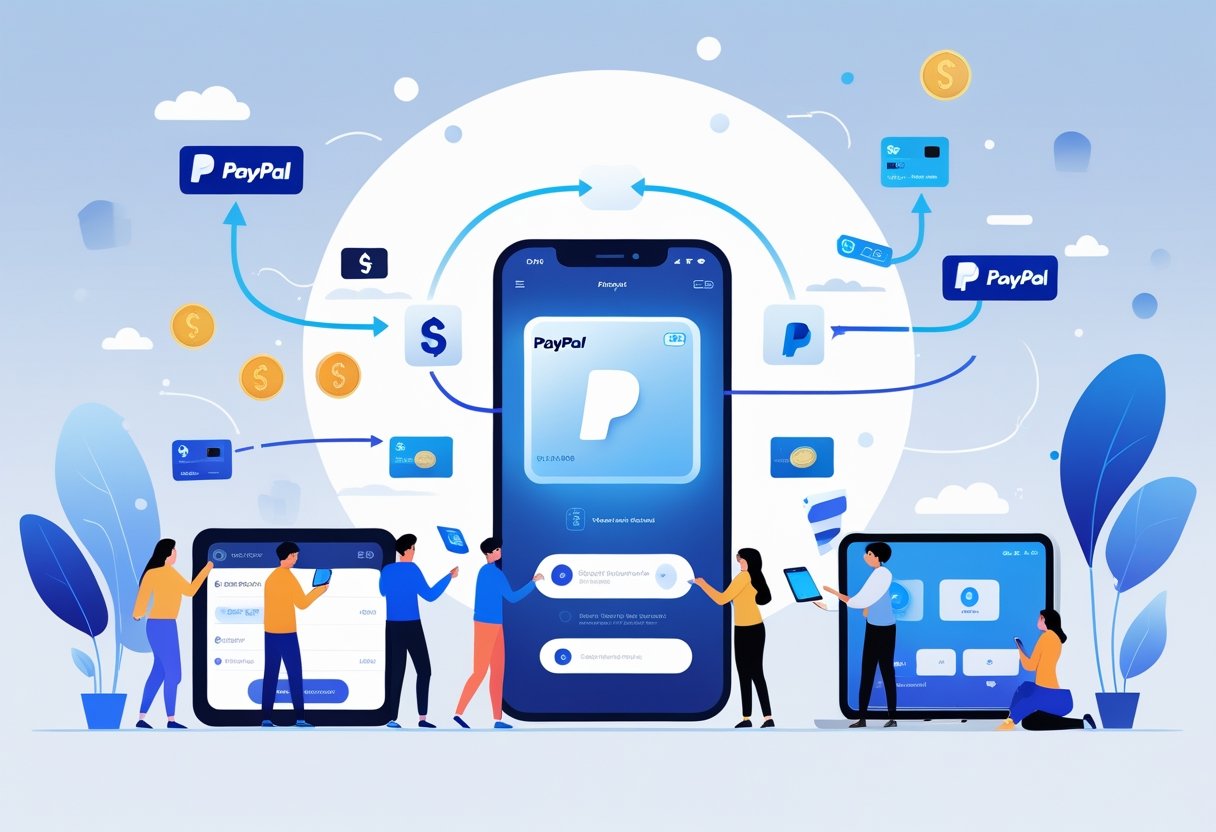
People using digital devices connected by icons and arrows representing secure online payments and money transfers.

PayPal lets you pay for stuff, send money to friends, and make purchases fast. You can pay with your bank, credit card, or PayPal balance.

Payments work online or in person, depending on what you need.

Paying for Online Purchases

When you shop online, PayPal gives you a secure way to pay without sharing your bank or card info with sellers. You just log in at checkout and pick your preferred payment method.

PayPal Checkout makes things even faster by saving shipping and payment details. No need to type everything out every time.

Some sellers offer a PayPal QR code—scan it with the app and pay right from your phone. Handy for in-person or mobile shopping.

Send Money to Friends and Family

Sending money to friends or family with PayPal is quick and secure. Just enter their email or phone number linked to their PayPal account.

If you use your PayPal balance or linked bank account, it’s usually free. Paying with a credit or debit card might cost a bit.

For international transfers, PayPal shows you the fees and exchange rates upfront. It’s useful for splitting bills, rent, or sending gifts.

Your financial info stays private—recipients don’t see your details.

Using PayPal Checkout

PayPal Checkout works with loads of websites to make paying easier. Your shipping address and payment options are saved, so you can buy faster.

It also comes with buyer protection for disputes over missing or incorrect items. You can use credit cards, debit cards, or bank transfers.

For sellers, setting up PayPal Checkout is pretty straightforward. Shoppers get a smoother experience, which probably means fewer abandoned carts.

For more on payments and transfers, see Payments and Transfers | PayPal US.

Receiving Money Through PayPal

PayPal lets you get paid by linking payments to your email or phone number. When someone sends you money, you’ll get a notification.

You can accept payments, withdraw funds, or use instant transfers for quick access.

How to Accept Payments

To accept payments, you need a PayPal account with a confirmed email. When someone sends money, PayPal notifies you.

You can get paid by friends, clients, or customers. PayPal supports lots of currencies and international payments.

Personal transactions in the same country are usually free if funded by a bank or PayPal balance. Credit card payments or cross-border transfers might have fees.

You can also request money by sending a payment link. Makes it simple for others to pay you.

Withdrawing Funds

Once you’ve got money, you can keep it in your PayPal balance or withdraw it to a linked bank account.

Withdrawals usually take 1 to 3 business days, depending on your bank and country. PayPal doesn’t charge for standard bank transfers in most cases, but check if your bank has its own fees.

Make sure your bank details are right to avoid any delays. In some countries, you can withdraw to a debit card for a small fee—this can be faster.

Choose your withdrawal option in the PayPal wallet for easy access.

Instant Transfers

Need your money fast? PayPal offers instant transfers to eligible debit cards or bank accounts.

This usually gets funds to you in minutes, instead of days. There’s a fee—typically a small percentage of the amount.

Fees and eligibility vary by country and method. You’ll see the cost before you confirm the transfer.

Instant transfers are great if you need cash for something urgent. It’s quick, and your info stays secure.

For more details on how to receive money, check out this help page.

Security and Buyer Protection

PayPal uses strong tools to keep transactions and personal data safe. It offers clear rules to help buyers and sellers when problems come up.

Users have options to secure their accounts beyond passwords.

PayPal’s Security Features

PayPal protects users by encrypting financial info with 256-bit SSL technology—the same stuff banks rely on. This keeps credit cards, bank details, and other sensitive data safe during transactions.

It also monitors accounts for weird or suspicious activity. If something seems off, PayPal sends alerts or limits account features to stop fraud before it starts.

A lot of people turn on two-factor authentication (2FA) for extra peace of mind. That extra step—like entering a code from your phone—makes hacking way tougher.

Buyer and Seller Protection Policies

PayPal’s Buyer Protection helps you get a refund if your item never shows up or is wildly different from what was promised. Most purchases for goods and services are covered.

Sellers get some protection too, especially from unauthorized transactions or claims, but only if they follow PayPal’s shipping and delivery rules.

Buyers have to report issues within 180 days to qualify. Not everything is covered—digital goods and certain services might be out of luck.

Protecting Your Account

Always set up a strong, unique password and don’t share your login with anyone. Turning on two-factor authentication is a must for most folks these days.

It’s smart to check your account activity regularly. Spotting anything odd early can save you a headache.

Watch out for phishing scams—don’t click sketchy links or emails claiming to be from PayPal. Just go straight to the official site or app when logging in.

PayPal Fees and Exchange Rates

PayPal charges a mix of fees depending on what you’re doing and which currency is involved. These include fixed fees, percentage rates, and currency conversion charges. Knowing how these fees work can help you avoid surprises when moving money around.

Types of PayPal Fees

Fees change based on the transaction type. Domestic payments from a bank account or PayPal balance are usually free, but credit or debit cards come with a 2.9% plus a fixed fee (varies by currency).

International transfers? Those cost 5.00%, with minimum and maximums depending on the currency.

Other fees you might see:

  • Donations: 1.5% fee, or sometimes nothing if there’s no currency conversion
  • Crypto transactions: Fees depend on the network, especially when moving funds outside PayPal
  • Withdrawals: Instant card transfers can run you 1.75% of the amount

Fees depend on where you and the recipient are located, and which currency you’re using. For the fine print, check PayPal’s own fee pages.

Currency Conversion Fee

If you’re sending or getting money in a different currency, PayPal tacks on a conversion fee. Usually, it’s 3% to 4% above the mid-market exchange rate.

This fee hits you when:

  • You buy something in a foreign currency
  • You send money that needs converting
  • You use PayPal Payouts and there’s a currency switch

Besides the percentage, there might be a small fixed fee for the currency. PayPal updates rates twice a day and always adds a bit of markup.

Understanding the Mid-Market Exchange Rate

The mid-market exchange rate is basically the halfway point between what banks buy and sell currencies for. It’s the rate you’ll see on currency sites, and it’s about as fair as it gets.

PayPal gets a wholesale rate from its bank twice a day, but then they add a percentage on top for themselves.

So you’re not getting the true mid-market rate—you’re paying a little extra. It’s good to know about this markup so you’re not caught off guard when sending money abroad.

For the nitty-gritty, PayPal has a whole page on consumer fees.

International Money Transfers and Alternatives

Sending money overseas isn’t always as straightforward as it should be. You pick a service, fill in the recipient’s details, and then there’s the whole currency exchange thing. The main costs? Fees and exchange rates. There are plenty of alternatives out there, each with its own perks and quirks.

How to Send Money Abroad

To send money internationally, pick your platform—PayPal, Wise, Venmo (if it works in your region), whatever. You’ll need the recipient’s email, phone number, or bank info. Enter your amount and double-check the conversion rates and fees.

Some services (like Wise) show you real exchange rates, while PayPal might sneak in a markup. You can fund transfers by bank, card, or app balance. Delivery speeds range from instant to a few days, depending on the service.

Receiving options include cash pickup, bank deposit, or mobile wallet. Wise even lets you hold and send money in dozens of currencies with a multi-currency Wise account—handy for regular transfers.

International Payment Fees

Expect a flat fee plus a percentage of the amount you send. But don’t forget about the currency conversion markup—that’s where costs can balloon. PayPal is known for adding 3-5% on top of the exchange rate, which can sting.

Wise and similar apps use the mid-market rate and tell you all the fees upfront. Venmo and Cash App aren’t really international—mostly U.S. only, though they’re testing some cross-border features.

Key things to watch:

  • Transfer fees: fixed or variable, depending on the service
  • Exchange rate markup: the hidden cost in the conversion
  • Receiving fees: sometimes the recipient gets dinged too

If you want to keep costs down, compare your options—here are a few tips.

Wise and Other Competitors

Wise is popular for low fees and transparent rates. It’s great if you’re sending big or frequent transfers, especially with their multi-currency account.

Other options:

  • Skrill: tends to be cheaper than PayPal for sending money abroad
  • Xoom: PayPal’s own speedy cash pickup service
  • Revolut: offers international transfers and works for both individuals and businesses

These services try to fix PayPal’s pain points—like slow transfers or pricey conversions. The best choice depends on how fast you need it, where you’re sending, and how the recipient wants their money.

For a deeper dive, check out 9 Best PayPal Alternatives for International Money Transfers in 2025.

PayPal Credit, Debit, and Additional Services

PayPal offers a bunch of financial tools for different payment styles. There’s credit for buying now and paying later, debit cards for spending your balance, and other products to make life a little easier.

PayPal Credit and Buy Now, Pay Later

PayPal Credit is a digital credit line—buy now, pay later, basically. You get special financing on purchases over $149, and if you pay it off in six months, there’s no interest.

You can use this credit online wherever PayPal’s accepted. There’s also a PayPal Credit Card for both in-person and online purchases, backed by Mastercard.

Approval depends on your credit. If you don’t pay the balance in full within six months, interest kicks in from the original purchase date. No annual fee, and applying won’t ding your credit score if you’re declined.

PayPal Debit Card Uses

The PayPal Debit Card lets you spend your PayPal balance directly. It works anywhere Mastercard is accepted—online, in-store, you name it.

Need cash? Withdraw from ATMs worldwide. It’s a quick way to access your money without waiting for a bank transfer.

You can link the debit card to other apps too, making payments smoother. It’s a nice way to avoid the wait and fees of moving money out of PayPal.

Other Financial Products

PayPal also has prepaid cards and customer financing. Prepaid cards can be loaded up and used just like a debit card.

There’s purchase protection too, covering stuff that never arrives or isn’t as described.

Perks on the PayPal Credit Card include ID Theft Protection and a travel concierge, thanks to Mastercard.

For businesses, there are credit options to help with cash flow and smoother transactions.

You can find more info on PayPal’s Credit Line and Card Services page.

Popular Ways to Use PayPal

PayPal’s handy for sending and receiving money, shopping, and managing payments. It works online and in person, connects with other apps, and has tools for businesses of all sizes.

In-Person Payments with PayPal QR Code

PayPal QR codes let you pay or get paid without cash or cards. Just open the app, scan the merchant’s code, or show your own to receive money.

It’s quick, secure, and works at markets, events, or small shops. No special gear needed—just a smartphone.

Sellers get the money instantly, which is a big plus. Compared to Venmo or Cash App, PayPal’s QR codes are more flexible, especially for businesses. Plus, your financial details stay private.

Integrating PayPal with Other Apps

You can link PayPal to all sorts of apps and websites to make payments and money management easier. It connects with shopping apps, invoicing tools, and even social media.

For online stores, PayPal lets customers check out fast, no need to enter card details every time. It also works with Venmo, so moving money between platforms is possible.

Developers can add PayPal to their apps using its API—think gaming, bookings, subscriptions. This makes PayPal more than just a buying tool; it’s a way to manage money across platforms.

Using PayPal for Business

Businesses use PayPal to take payments online and in person. It supports cards, PayPal balances, and even local payment options in some countries.

You can make custom payment buttons for your site or send invoices right from PayPal. It helps with sales tracking and handling refunds.

PayPal also provides seller protections and fraud prevention—way safer than dealing with cash or checks. Compared to Cash App, PayPal’s business features are more robust and better for growing companies.

Frequently Asked Questions

Setting up a PayPal account is quick and only needs basic info. Sending or receiving money through the app is simple, and most people can figure it out in minutes. Just be aware of fees and how buyer protection works. It’s also good to know where PayPal falls short compared to other payment methods, and how to stay safe as a newbie.

How do you set up a PayPal account for personal use?

Go to the PayPal website or grab the app. Enter your email, pick a password, and fill in your details. You’ll have to link a bank account or card to send and receive money. It’s fast—and free.

What are the steps to send and receive money through the PayPal app?

To send money, log in and tap “Send.” Enter the recipient’s email or phone, type the amount, pick your payment method, and confirm. To receive, just share your email or PayPal.Me link. You’ll get a notification when funds arrive.

What are some common fees associated with using PayPal for transactions?

No fees for personal payments from a bank account or PayPal balance. But if you use a credit card or send money internationally, there are fees. Receiving money for goods or services can also cost you. Always check the charges before you hit send.

Can you explain how purchasing online with PayPal provides buyer protection?

If your item doesn’t arrive or is nothing like what was described, PayPal helps resolve the dispute and might refund you. This only works for eligible transactions made through PayPal.

What are the drawbacks or limitations of using PayPal compared to other payment methods?

PayPal can freeze funds or limit accounts if it thinks something’s fishy. Fees are sometimes higher than direct bank transfers or cards, especially for international stuff. Not every seller takes PayPal, so you might need a backup. And honestly, the dispute process can be slow or confusing.

As a beginner, how can I ensure safe and secure use of PayPal?

Pick a strong password—something unique, not just your pet’s name—and turn on two-factor authentication in PayPal’s settings. That extra step really helps.

Steer clear of weird links, and never share your login info, even if someone seems official. It’s just not worth the risk.

Take a look at your account activity every so often. If anything looks off, report it right away.

Don’t forget to keep your device’s software up to date. It’s one of those things that’s easy to ignore, but it does help protect you when you’re using PayPal.

For more details, see the PayPal Help Center – Personal.

All You Need to Know About Stripe: Comprehensive Guide for Businesses

Stripe is a payment platform that helps businesses accept payments easily and securely online. It removes the need for a traditional merchant account, which lets companies start receiving payments fast.

Stripe supports many payment types and currencies, making it a flexible choice for merchants worldwide.


It offers powerful tools for managing transactions, fraud prevention, and customizing payment processes.

While its pricing can be average compared to some alternatives, larger businesses often benefit from negotiable rates.

Stripe’s technology is designed to fit both simple shops and complex online services.

Many businesses choose Stripe for its strong security features and developer-friendly setup.

Its mix of transparency and advanced options makes it a popular solution for a wide range of merchants looking to improve how they handle payments.

Key Takeaways

  • Stripe supports diverse payment options for global businesses.
  • It offers strong security and tools to manage transactions effectively.
  • Pricing varies and can be negotiated for high-volume merchants.

What Is Stripe?

A laptop and smartphone showing digital payment symbols surrounded by icons representing online shopping and secure transactions.

Stripe is a financial technology company known for making online payments easy and efficient for businesses around the world.

It offers a range of tools that handle everything from payment processing to fraud detection and billing management.

The platform is designed to support various business models and payment methods, all with quick setup and strong security.

Company Overview

Stripe was founded in 2010 by Irish brothers John and Patrick Collison.

Headquartered in South San Francisco and Dublin, it quickly grew to become one of the leading payment service providers.

The company serves millions of businesses globally, including big names like Amazon and Spotify.

It is a private company valued in the tens of billions, processing over a trillion dollars in payments annually.

Stripe focuses on software-as-a-service (SaaS) that empowers e-commerce websites and mobile apps to accept payments smoothly.

How Stripe Works

Stripe functions as a payment processor that connects businesses with global payment networks.

When a customer makes a purchase, Stripe handles the transaction by securely transmitting payment information between the buyer’s bank, the seller’s bank, and card networks.

Developers integrate Stripe into websites or apps using easy-to-use application programming interfaces (APIs).

This allows businesses to accept credit cards, digital wallets, and other payment types without needing traditional merchant accounts.

The platform also offers tools like fraud prevention, tax calculations, and subscription billing to manage payments efficiently and reduce risks.

Stripe’s Core Products

Stripe’s product suite covers multiple payment-related tasks.

Its main offerings include:

  • Payments: Supports online and in-person transactions with multiple payment options.
  • Billing: Manages subscriptions, invoicing, and recurring payments.
  • Radar: An anti-fraud system that filters suspicious transactions.
  • Terminal: A physical card reader product for in-person payments.
  • Connect: Enables marketplaces and platforms to route payments to third parties.
  • Issuing: Allows businesses to create their own credit and debit cards.

Each product is designed to simplify tasks related to payments and financial operations for various industries and business types.

Stripe’s Role in Payment Processing

Stripe plays a key role in payment processing by acting as an intermediary between customers, merchants, and banks.

It removes the need for traditional merchant accounts and offers fast, secure transaction handling.

With its global network, Stripe supports payments in over 185 countries and multiple currencies.

It also continuously updates its platform with features like AI-powered fraud detection and new payment methods to stay competitive.

Businesses rely on Stripe to streamline payment flows, reduce costs, and improve customer experience by offering flexible checkout options and reliable service.

For more details, see What Is Stripe, and How Does It Work to Accept Payments?.

How Stripe Processes Payments

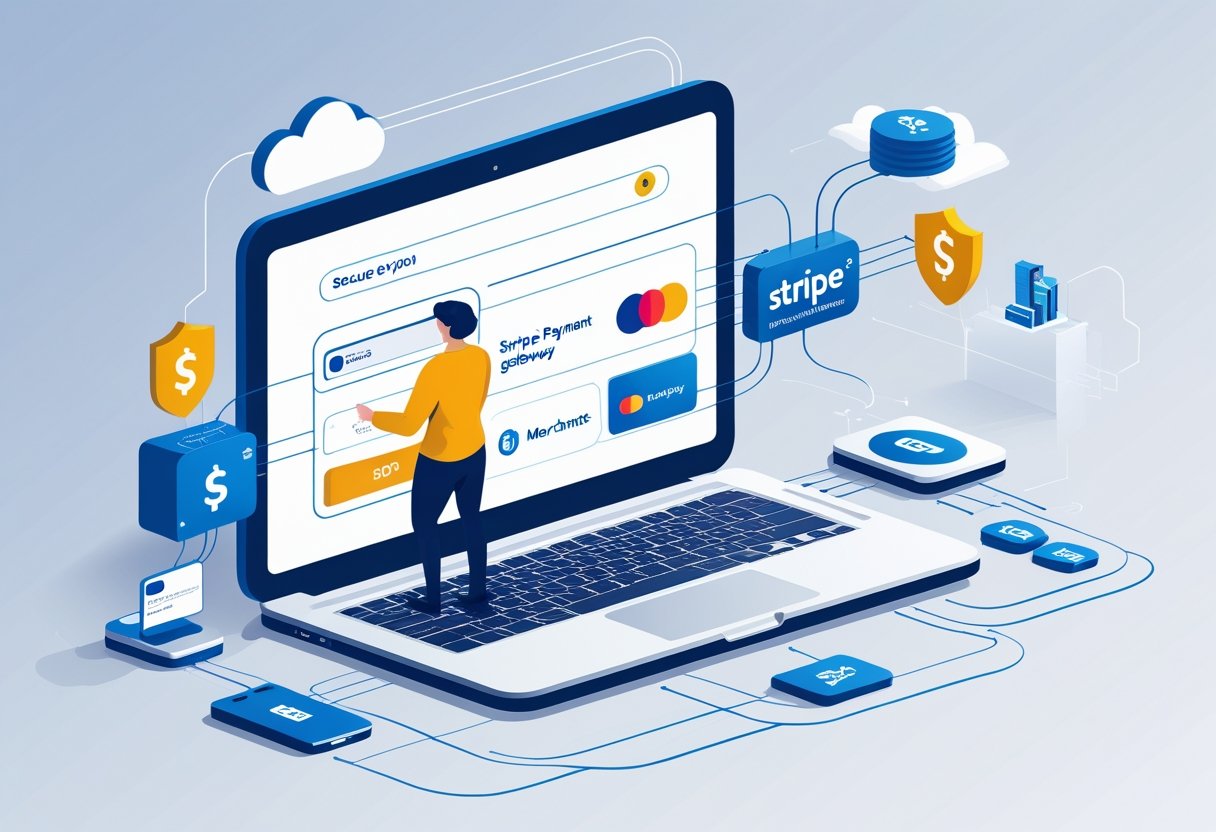
An illustration showing the flow of an online payment through Stripe from a user device to servers, banks, and merchants, with icons representing credit cards and secure data transmission.

Stripe handles payments by securely moving money from buyers to sellers through a detailed process.

It supports both online and in-person transactions, using technology like payment gateways and physical devices.

The setup also relies on a merchant account to manage funds and settle payments.

Online Payment Processing Flow

When a customer pays online, Stripe first collects the payment information through a secure form on a website or app.

This data moves to a payment gateway, which encrypts and sends it to Stripe’s payment processor.

Stripe then verifies the payment details with the customer’s bank via card networks like Visa or Mastercard.

If everything checks out, Stripe authorizes the transaction and informs the merchant’s site.

After approval, the merchant completes the sale.

Stripe then batches the transaction for settlement, moving funds from the issuing bank to the merchant’s account, usually within a few business days.

In-Person Payments with Stripe Terminal

Stripe Terminal allows businesses to accept payments face-to-face using physical card readers.

These devices connect to Stripe’s system through a point-of-sale (POS) app.

When a customer taps, swipes, or inserts their card, the Terminal securely transmits the payment data to Stripe.

Stripe processes the transaction much like it does for online payments—checking funds and authorizing the payment.

This setup supports EMV chip cards, contactless payments, and mobile wallets.

Businesses get fast, secure in-person payment processing without needing separate hardware or accounts.

Understanding Payment Gateways

A payment gateway is a key technology that links a merchant’s sales platform to the payment processor.

It handles capturing sensitive payment data, encrypting it, and securely sending it for approval.

Stripe’s gateway protects customer information during transactions, preventing fraud and data breaches through methods like tokenization and SSL encryption.

The gateway also returns the authorization result to the merchant quickly, letting them complete or decline sales in real time.

Merchant Account Relationship

A merchant account is a bank account that holds funds from customer payments.

Stripe acts as both a payment processor and an acquiring bank, simplifying this process by integrating the merchant account function directly.

This means businesses don’t need to apply for a separate merchant account from a bank.

Stripe pools funds from transactions and deposits them into the business’s linked bank account after settlement.

This streamlined approach reduces setup complexity and speeds up how quickly merchants receive money from sales.

Supported Payment Methods and Currencies

A digital dashboard showing various payment method icons and global currency symbols arranged around a central Stripe logo.

Stripe supports a wide range of payment methods and currencies, allowing businesses to accept payments easily from different countries.

It handles major credit and debit cards, mobile wallets, bank debits, and many local payment options.

Payment acceptance varies by country and currency, so Stripe adapts to the specific market to ensure smooth transactions.

Credit and Debit Card Payments

Stripe accepts most major credit and debit cards worldwide.

This includes Visa, Mastercard, American Express, Discover, JCB, Diners Club, and China UnionPay.

Customers can pay with both credit and debit cards, giving businesses access to a broad user base.

Cards can be charged in over 135 currencies.

The platform allows businesses to receive payouts in a preferred currency, which may differ from the payment currency.

Stripe supports saving card details for future payments, enhancing customer convenience.

It also has built-in security features like fraud detection and PCI compliance, which makes card payments secure.

Mobile Wallets and Digital Payments

Mobile wallets are widely accepted by Stripe, including Apple Pay and Google Pay.

These wallets allow customers to pay quickly using their smartphones or other devices.

Other digital payment options include Alipay and WeChat Pay, which are popular among Chinese consumers and travelers.

These methods support multiple currencies such as CNY, USD, and EUR, depending on the location.

Stripe’s support for mobile wallets helps businesses reach customers who prefer fast, contactless payment options.

These wallets work in various countries supported by Apple and Google, improving payment flexibility.

Bank Debits and ACH

Stripe enables payments through bank debits and ACH transfers.

In the United States, ACH Direct Debit is available for payments directly from bank accounts.

This option is widely used for large or recurring payments.

In Europe, SEPA Direct Debit is supported, allowing Euro-denominated bank payments across many EU countries.

The United Kingdom also supports Bacs Direct Debit in GBP.

Stripe supports other local direct debit methods like BECS in Australia and FPX in Malaysia.

These methods provide cost-effective bank-based payment options for businesses.

Local and Alternative Payment Methods

Stripe offers many local and alternative payment methods to match customer preferences by region.

Examples include Klarna, Afterpay, and Affirm for buy-now-pay-later financing in countries like the US, Canada, and Australia.

Europe uses payment methods like iDEAL (Netherlands), EPS (Austria), Bancontact (Belgium), and P24 (Poland).

These alternatives let customers pay directly from their bank accounts or local systems.

Other options include GrabPay (Malaysia and Singapore), MB WAY (Portugal), and OXXO (Mexico).

These services broaden payment access in markets with strong local habits.

Businesses using Stripe can select the methods available based on country and currency to optimize conversions and reach.

For further details on supported payment methods and countries, see Stripe’s payment method support.

Stripe for Businesses and Merchants

A group of business professionals collaborating around a digital screen showing financial graphs and payment icons in a modern office setting.

Stripe offers flexible payment solutions for different types of businesses.

It supports everything from simple online stores to complex platforms that handle payments between multiple parties.

Its features help merchants manage payments, automate billing, and handle compliance.

Who Uses Stripe?

Stripe is popular with businesses of all sizes.

Small and medium merchants use it for online sales because of its easy setup and reliable technology.

Larger companies value Stripe’s ability to scale and integrate with other software.

Merchants benefit from Stripe’s transparent fee structure and tools for managing payments.

It supports multiple payment methods, including credit cards, digital wallets, and local payment options.

Businesses also appreciate Stripe’s security and fraud prevention services.

This makes it a trusted choice for both new merchants and well-established sellers.

Stripe for Startups and SaaS

Startups and SaaS companies often choose Stripe for its developer-friendly platform.

It allows them to quickly build custom payment flows and subscriptions without needing complex banking relationships.

Stripe supports recurring billing, making it easier for SaaS businesses to manage monthly or yearly subscriptions.

Its APIs let startups automate invoicing and track revenue in real time.

The ability to handle global payments is important for startups aiming to scale internationally.

Stripe’s currency conversion and local payment methods help SaaS companies reach customers worldwide.

Platform and Marketplace Payments

Platforms and marketplaces use Stripe Connect to simplify payments between buyers and sellers.

It supports split payments, enabling platforms to take fees and pay vendors automatically.

Stripe Connect offers flexible onboarding for sellers and handles regulatory requirements like KYC (Know Your Customer).

This reduces the effort needed to manage payments at scale.

Platforms benefit from automated payouts and detailed reporting.

Stripe handles tax collection and compliance, making it easier for marketplace operators to focus on growth without payment headaches.

Learn more about Stripe payment processing for merchants at Stripe’s website.

Key Stripe Features and Tools

Stripe offers powerful tools for managing payments, billing, and customer transactions.

These features help businesses automate recurring charges, create smooth checkout experiences, and send professional invoices that match their brand.

Recurring Billing and Subscriptions

Stripe’s recurring billing system supports flexible subscription models.

Businesses can set up flat fees, tiered pricing, usage-based plans, or per-seat billing with ease.

It also handles proration when customers change plans mid-cycle.

The platform automatically updates expired card details and retries failed payments, reducing disruptions in revenue flow.

Customers can use Stripe’s customer portal to manage their subscriptions, update payment methods, and see billing history.

Stripe supports smart retries and sends email reminders, improving payment success rates for recurring payments.

Stripe Checkout and Customization

Stripe Checkout is a prebuilt, secure payment form that businesses can embed or link to right away. It supports multiple payment methods—cards, wallets, even buy-now-pay-later options.

If you want your checkout to actually look like your brand, Stripe Elements is the way to go. It gives developers modular UI components to build custom forms, so you can really make it yours.

Developers get full control over the look and flow using Stripe’s API, striking a balance between security and design freedom. Checkout also works on any device or browser, adapting to different screen sizes and supporting fast payment options like Apple Pay and Google Pay.

Invoicing Capabilities

Stripe’s invoicing tool lets businesses create and send invoices that match their branding. You can set up one-time or recurring bills, and customers can pay by credit card or ACH.

Payment terms are customizable, and you can automate reminders to nudge clients who forget. Tracking invoice status in real time and managing disputes is built right in.

Stripe’s invoicing connects seamlessly with its payments platform, so handling both invoicing and collecting payments happens in one spot. That’s especially handy for B2B services or companies billing US clients.

Learn more from Stripe’s detailed feature descriptions on Stripe Payments | Features and Process.

Fraud Prevention, Security, and Compliance

Stripe puts a big emphasis on protecting businesses from fraud, securing transaction data, and managing disputes. There are tools for real-time fraud detection, compliance with strict payment standards, and handling chargebacks to keep losses down.

Fraud Detection and Radar

Stripe Radar is an advanced fraud detection system built right into Stripe’s platform. It uses machine learning to analyze transactions and flag suspicious activity automatically.

You can set up custom rules to block high-risk payments based on your own criteria. Radar looks at payment patterns, location, and device data to spot possible fraud.

When Radar detects a risky transaction, it can block it or ask for extra verification. That way, you cut down on fraud without annoying real customers.

Using Radar saves time by automating fraud checks. It also benefits from insights gathered across millions of transactions worldwide, which keeps it sharp.

More details about Stripe Radar’s features and how it helps with fraud prevention are in the guide on harnessing Stripe Radar for optimal fraud prevention.

PCI Compliance and Data Security

Stripe is fully PCI DSS compliant, hitting all the global standards for payment security. That means your customers’ card data is handled safely and kept away from prying eyes.

All payment data is encrypted from start to finish, so sensitive info isn’t exposed during transmission. Stripe also uses tokenization to swap out card data for secure tokens.

Regular security updates and network monitoring help defend against breaches. You can feel fairly confident Stripe’s keeping payment details safe from cyber threats.

The platform’s focus on compliance and encryption supports secure transactions, as explained in the Stripe payment security guide.

Chargebacks and Dispute Management

Chargebacks happen when customers dispute a transaction—maybe they didn’t recognize the charge or claim they didn’t get what they paid for. Stripe gives businesses tools to manage these disputes, like detailed evidence collection and transaction records.

Merchants get early alerts about chargebacks, so there’s time to respond quickly. You can check customer identity and track communication to build your case.

Stripe suggests having clear refund and shipping policies to ward off chargebacks. Keeping an eye out for patterns helps spot potential fraud before it becomes a headache.

For more tips on preventing chargeback fraud, check out the payment fraud detection and prevention guide.

Stripe Pricing, Fees, and Payouts

Stripe charges fees based on transaction type and payment method. There are instant payout options for faster access to funds.

For international sales, VAT and currency conversion fees can apply, so it’s worth keeping an eye on those costs.

Transaction Fees Explained

Stripe’s standard fee for online transactions is 2.5% + 20p for cards from the European Economic Area (EEA). If the card’s international, the fee is 3.25% + 20p. Need currency conversion? That’s another 2%.

In-person payments are a bit cheaper: 1.4% + 10p for EEA cards, 2.9% + 10p for non-EEA. There are small extra fees for things like Tap to Pay or point-to-point encryption.

Invoices generated automatically have a 0.4% fee, capped at US$2.00 per invoice. If you’ve got big volumes or special needs, custom pricing might be on the table.

Instant Payouts

Instant payouts let businesses get their money fast. Stripe charges 50p per payout, which is a small price to pay for not having to wait days.

This service supports multiple payment rails and speeds, so funds can hit your bank account almost instantly. For businesses that need quick access to revenue, this can be a real lifesaver.

Using instant payouts may come with extra cross-border fees starting at 0.25%, and foreign exchange fees from 0.5% if you’re converting currency.

VAT and International Fees

Stripe applies VAT on some services, depending on where your business is based. VAT rates vary, and if you’re registered for VAT, you’ll need to add that to your costs.

Cross-border transactions tack on an extra 1% + 30p, plus 2% for currency conversion. These fees help cover the costs of processing payments from other countries and swapping currencies.

If you’re selling internationally, it’s smart to factor these fees into your pricing.

Learn more about Stripe’s pricing and fees.

Comparing Stripe to Other Payment Solutions

There’s no one-size-fits-all payment platform. Each offers different features, customization, hardware support, and global reach.

What’s best for you? It depends on your business size, what you sell, and how much tech muscle you’ve got.

Stripe vs. PayPal

Stripe is all about deep customization with its developer-focused API. It’s a great fit for businesses that need complex payment setups or want to sell globally—it supports over 135 currencies and has advanced machine learning fraud tools.

PayPal is super easy to set up and trusted by a ton of people. It’s best for freelancers and small businesses who want a simple, no-fuss solution. You also get options like Venmo and One-Touch payments for speedier checkouts.

FeatureStripePayPal
CustomizationHigh, API-drivenLow, simple integration
Global SupportExtensiveGood, but more limited
Fraud PreventionAdvanced (machine learning)Basic fraud tools
Best ForLarge-scale, tech-focused firmsFreelancers, small shops

Stripe vs. Square

Stripe is built for tech companies that need scalable, highly customizable payments. It’s especially good for online payments and supports trickier billing like subscriptions.

Square is aimed at small and medium businesses, especially those taking payments in person and needing POS hardware. It comes with business tools like payroll and loans, which is pretty handy for retail and service shops.

Key differences:

  • Stripe: Best for global e-commerce and custom checkouts
  • Square: Perfect for brick-and-mortar stores that want quick setup and hardware

Stripe for Shopify

Stripe is Shopify’s main payment processor, so integration is smooth for online stores. It handles multiple payment types and currencies, which is ideal if you’re selling worldwide.

Shopify Payments is more of an all-in-one solution, while Stripe is strictly about payments. That means Shopify gives you the storefront tools, and Stripe focuses on flexible, programmable payment processing.

Stores using Shopify with Stripe get:

  • Customizable checkout
  • Support for international sales and currencies
  • Advanced fraud protection like 3D Secure

If you need full ecommerce features, Shopify Payments might make more sense. But if you want payment flexibility, Stripe is a strong pick.

You can dig deeper into Stripe’s pros and cons versus competitors at Stripe vs. Square or Stripe vs. PayPal.

Integration, Customization, and Developer Experience

Stripe gives you tools to connect your website or app to payment systems securely and (mostly) painlessly. It supports different platforms and lets developers control how payments work, so you get flexibility without losing your mind.

APIs and Platform Integration

Stripe’s APIs let developers build custom payment flows or plug Stripe into existing systems. There’s support for subscriptions, one-time payments, refunds—you name it.

With Stripe Connect, you can create marketplaces that manage payments between buyers, sellers, and the platform itself. APIs work across web and mobile, with support for languages like JavaScript, Python, and Ruby.

Developers get SDKs and API keys to set up payment intents, handle customer data, and manage disputes. Automation features help with fraud detection and payout scheduling.

Integration tools work for everything from simple setups on BigCommerce to fully custom solutions.

Customization for Businesses

Stripe lets businesses customize the payment experience, including branding and UI elements. This keeps things looking professional and consistent with your brand.

Custom accounts in Stripe Connect offer deep control over payments and user interactions, though you’ll need to meet extra compliance requirements. You can fine-tune fraud prevention and set up instant payouts to build trust and keep cash flowing.

With these options, companies can build secure, scalable payment systems. Stripe takes care of the hard payment processing stuff, so you can focus on your product and customers.

For more technical details, the Stripe Developer Documentation is a solid resource.

Pros and Cons of Using Stripe

Stripe packs a punch for businesses, especially online merchants with more complex needs. You get transparent pricing and advanced technology, but it’s not always the cheapest option out there.

Benefits and Advantages

Stripe’s tech is pretty cutting-edge and the feature set is deep. It supports all sorts of payment methods and gives developers advanced APIs for customization.

Pricing is transparent, starting at 2.9% + $0.30 per transaction. If you’re processing big volumes, you can negotiate lower rates or get interchange-plus pricing.

Stripe also has tools for fraud detection and subscription billing. Support options include 24/7 premium help, which is a relief when you need answers fast.

Potential Drawbacks

Stripe can get expensive for smaller or newer businesses, thanks to flat-rate pricing. Reporting tools are basic; you’ll mostly get spreadsheets, not detailed merchant statements.

Level 2 and 3 data optimization? That’s a manual setup, and not everyone wants to deal with that. Extra fees can pop up for things like 3D Secure authentication, card updates, or advanced fraud monitoring.

Since Stripe is a payment facilitator, it’s often pricier than direct processors. If low fees are your top priority, there are cheaper options out there.

More details about Stripe’s pricing and fees are in this Stripe Review 2025.

Frequently Asked Questions

Stripe lets businesses accept payments online while keeping transactions secure and tied to banking systems. It charges fees based on transaction types and gives you different ways to handle revenue.

How can I use Stripe to accept payments on my website?

You can add Stripe’s payment gateway to your site using APIs or pre-built plugins. That way, you can accept credit cards, debit cards, and other payment methods from customers all over the world.

Customers don’t need a Stripe account to pay, which is nice.

What are the security measures Stripe uses to protect transactions?

Stripe uses encryption and tokenization to secure payment details. It’s PCI compliant, meeting industry standards for cardholder data protection.

The system keeps an eye out for fraud and suspicious activity, helping reduce risks.

In what ways does Stripe integrate with banking systems?

Stripe links up with bank accounts to process and settle payments. It supports international bank transfers and works with a bunch of currencies.

That means businesses get funds quickly and money management gets a bit simpler.

What are Stripe’s revenue streams?

Stripe mostly makes money from transaction fees charged to businesses. There are also subscription services, customizable billing tools, and payment dispute handling.

They offer a few extra business management products as well.

How is the fee structure determined for transactions through Stripe?

Fees change by country but usually include a percentage of the transaction plus a fixed cost per payment. Some payment methods or international transactions have different fees.

Stripe is pretty open about its fees on the support site.

What potential drawbacks should users be aware of when using Stripe?

Some users experience delays in fund payouts, which often depends on things like business risk or where you’re located. It’s not always predictable, and that can be frustrating.

There might be holds placed on your funds if there are disputes or refunds. That’s just part of the process, but it’s not ideal if you need quick access to your money.

Full integration on certain platforms can take some technical know-how. Not everyone’s comfortable with the setup, so you might need a developer or at least a bit of patience.

WordPress vs Shopify (2025): History, Evolution, Pros & Cons

A comprehensive look at WordPress and Shopify—their history, evolution, strengths, and weaknesses—to help you choose the right platform for your website or store.

1️⃣ Origins & Evolution

WordPress: From Blogging Tool to CMS Powerhouse

  • Launch & Founders: WordPress was officially released on May 27, 2003 by Matt Mullenweg and Mike Little as a fork of the b2/cafelog platform. Liquid Web+2Kinsta®+2

  • Early Purpose: Initially focused on blogging—making publishing and content creation easier for non-technical users. WPBeginner+2WPMarmite+2

  • Growth into a Full CMS: Over time WordPress gained features like theme support, plugin architecture, customizable layouts, static pages, multi-site capabilities, media embedding, custom post types, block editor (Gutenberg), etc., allowing it to power many types of sites beyond blogs (business sites, membership sites, learning platforms, etc.). MilesWeb+2Kinsta®+2

Shopify: Built for eCommerce from the Ground Up

  • Founding: Shopify was founded in 2006 by Tobias Lütke, Daniel Weinand, and Scott Lake. It originated from their experience running an online snowboarding store (“Snowdevil”) and dissatisfaction with existing ecommerce tools. Wikipedia+2WP All Import+2

  • Early Evolution: Shopify built its platform using Ruby on Rails. Key early developments included launching its API & App Store in 2009. Themes, template system (“Liquid” template language), and a hosted all-in-one model were central. Over time, it expanded to include POS, shipping integrations, multi-channel sales, tools for larger merchants (Shopify Plus), more sophisticated APIs, headless commerce options, etc. Wikipedia+2WP All Import+2


2️⃣ What Each Platform Is Best Suited For Today

Here’s how the platforms compare now, especially as of 2025, including what kinds of projects they align with best.

Feature / Focus AreaWordPressShopify
Content-Driven Sites / BloggingExcellent. Very strong CMS, SEO tools, content flexibility.More limited. Basic blogging functionality exists but not as rich or flexible. Omnisend+3Enzuzo+3PageFly+3
Pure eCommerce StoresVia plugins like WooCommerce. Great breadth of customization but more responsibility (hosting, security).Designed for ecommerce. Out-of-box store management, shipping, payments, etc. Magenest+2WP All Import+2
Scalability / High Volume MerchantsPossible, but requires careful setup (good hosting, optimized theme, caching, etc.).Strong. Enterprise-level plans like Shopify Plus, multi-channel, large app ecosystem, and managed infrastructure. WP All Import+2Omnisend+2
Design & CustomizationVery high. Themes + plugin ecosystem means you can build nearly anything; full code / theme editing.Good design, many high-quality themes; but more constraints especially around checkout/custom functionality, or needing to work in Shopify’s system (Liquid, app-templating). Ablestar+2Magenest+2

3️⃣ SEO & Marketing Capabilities

Since SEO and marketing are often deciding factors, here’s a side-by-side of what each offers, with pros and trade-offs.

SEO / Marketing FactorWordPress StrengthsShopify Strengths & Limitations
Full Control of On-Page SEO (titles, meta, schema, URL structures)Very strong via plugins (Yoast, Rank Math, etc.), theme control, code access. You can optimize everything.Strong built-in SEO features; many tasks are simpler out-of-the-box. But less low-level control in some areas (e.g. advanced redirects, deep theme code tweaks). Meetanshi – Magento & Shopify Agency+2Omnisend+2
Speed & Performance / Core Web VitalsDependent on hosting, theme & plugin quality; can get very good if well optimized.Shopify does a lot of heavy lifting (hosting, CDN, security), so stores often get decent performance with less manual work. But customizations/apps can slow things down. Omnisend+2Magenest+2
Content Marketing / BloggingHighly flexible: categories, tags, post formats, long-form content, content hubs, etc. Very suitable for content marketing.Basic blog features exist, but less advanced. Some users report limitations around blog editing, layout customizations, features like “related posts.” Enzuzo+2Magenest+2
App / Plugin Ecosystem for Marketing ToolsVast plugin library; almost any marketing tool has a WordPress plugin. Integrated SEO, analytics, social, email marketing etc.Shopify has an App Store with many marketing tools, and good integrations; but some apps cost monthly, and there may be limits in how deeply you can customize them. xgentech.net+1

4️⃣ Pros & Cons

Here are advantages and trade-offs for each, especially relevant for businesses deciding which to pick.

WordPress — Pros

  1. Flexibility & Control
    Full code editing, thousands of themes/plugins, ability to control your environment and optimize performance.

  2. Ownership / Portability
    Self-hosted WordPress gives you full control over data, hosting, domain; you can move hosts or rebuild as needed.

  3. Rich Ecosystem
    Plugins for nearly everything—eCommerce (WooCommerce), membership, LMS, complex forms, multilingual, etc.

  4. SEO & Content Power
    Excellent for content-heavy sites, blogs, publishers. Deep control over SEO, richer content marketing.

  5. Cost Options
    The base WordPress software is free (open source). Costs come from premium plugins, hosting, design, but there are many price points.

WordPress — Cons

  1. Maintenance Overhead
    You need to manage hosting, backups, updates (core, themes, plugins), security.

  2. Learning Curve
    More technical setup is required, especially for non-developers.

  3. Plugin/theme Compatibility & Quality
    Poorly coded themes/plugins can hurt performance, security, or cause conflicts.

  4. Cost Unpredictability
    While base is free, premium plugins, high-end hosting, custom dev can add up quickly.


Shopify — Pros

  1. Turnkey eCommerce Solution
    Everything needed for running an online store is built-in or easy to enable: payments, shipping, themes, POS, sales channels.

  2. Ease of Use & Speed to Launch
    Setup is fast; interface is user-friendly; hosting, security, uptime handled by Shopify.

  3. Reliability & Support
    Since Shopify is a hosted SaaS, many technical tasks (hosting, performance, security) are managed. Also 24/7 support etc.

  4. Scalability for Merchants
    Good scaling options for growing stores; Shopify Plus and app ecosystems help with larger or enterprise-level needs.

  5. App Store & Integrations
    Many apps available for additional features (marketing, reporting, shipping integrations, etc.).

Shopify — Cons

  1. Cost Structure Can Grow Quickly
    Monthly subscription + transaction fees (if you don’t use Shopify Payments) + app fees + expensive themes can add up. Enzuzo+1

  2. Limited Customization Outside Allowed Channels
    While themes are customizable, certain areas (especially checkout) have restrictions unless you’re on higher plans (e.g., Shopify Plus) or use approved apps. Liquid templating language means developers must adapt to Shopify’s patterns. Ablestar+1

  3. Blogging / Content Limitations
    Blogging tools are less robust compared with WordPress. Fewer options for advanced content marketing features. Enzuzo+1

  4. Vendor Lock-in
    Since Shopify is a proprietary platform, you’re tied to their infrastructure, rules, theme/app environment. Migrating off may be complex or limited.

  5. Transaction Fees & Constraints
    Unless you use Shopify Payments (if available), transaction fees can apply. Also, certain payment or shipping options might incur extra cost or restrictions. Enzuzo+1


5️⃣ Use-Case Scenarios: Which to Choose When

ScenarioBest PickWhy
You’re building a blog or content-driven site, with occasional products.WordPressSuperior content tools, better SEO flexibility, cheaper content scaling.
You want to launch a simple online store ASAP with not much technical overhead.ShopifyFaster setup, less maintenance, secure in-built features.
You are an enterprise or growing merchant needing high-volume, multi-channel selling.Shopify (Plus or enterprise plan) OR WordPress with top-tier hosting and customization. Consider total cost and required customizations. 
You expect many custom features, deep integrations (membership, courses, custom billing, etc.).WordPressPlugin ecosystem + possibility to build custom code.
You prefer to outsource most technical work, have consistent predictable costs, and want less day-to-day technical maintenance.ShopifyAll hosting, security, performance handled; fixed plans.

6️⃣ SEO: How Each Platform Helps or Hinders Rankings

Because many decisions come down to search traffic, this section zooms in on SEO considerations.

WordPress SEO Strengths

  • Deep control over on-page elements: meta tags, headings, schema markup, breadcrumbs, etc.

  • Ability to choose lightweight themes, optimize images, control server settings (caching, CDN) to improve Core Web Vitals.

  • Strong plugin ecosystem for SEO tools (Yoast, Rank Math, etc.), with features like XML sitemaps, content analysis, redirection & broken link tools.

  • Better for content marketing: richer options for blogs, content hubs, related content, custom taxonomies.

Shopify SEO Strengths & Limitations

Strengths:

  • Many SEO basics are built in: SSL, CDN, clean URL structure, mobile-responsive themes.

  • App marketplace to add SEO enhancements.

  • Performance and uptime usually good since Shopify handles infrastructure.

Limitations:

  • Less flexibility in certain theme areas, checkout customization, deeper backend elements.

  • Blogging tools less powerful (editor features, content interlinking, advanced layout).

  • App fees for many SEO features.

Several comparison articles note that WordPress tends to give more long-term SEO upside if you want deep content, while Shopify offers a faster path for ecommerce stores but sometimes with trade-offs. Meetanshi – Magento & Shopify Agency+2Website Builder Expert+2


✅ Final Thoughts & Recommendation

  • If your priority is content, ownership, flexibility, and you have the patience for setup/maintenance or can hire help, WordPress is likely the stronger long-term investment.

  • If your priority is launch speed, simplicity, reliable ecommerce functionality, minimal technical maintenance, Shopify is a powerful and safe choice.

Both platforms can rank well, generate revenue, and scale—but the best choice depends heavily on your business model, growth plans, technical comfort, and budget.


🧭 Sources & Further Reading

Woocommerce

The 2025 Definitive Guide to WooCommerce: Powering E-Commerce with Your Web Pros

Introduction: Why WooCommerce?

In the rapidly expanding world of e-commerce, WooCommerce stands out as the leading platform for online stores. Built on top of WordPress, WooCommerce empowers businesses of all sizes to launch and scale flexible, feature-rich, and fully customizable e-commerce websites.

As of 2025, WooCommerce powers over 6 million active online stores, offering seamless integrations, a vast ecosystem of plugins, and full ownership of your data—a stark contrast to closed platforms like Shopify or BigCommerce.

To help businesses harness WooCommerce to its full potential, Your Web Pros offers custom development, optimization, and support for online stores. Based in Illinois, Your Web Pros specializes in e-commerce design and development tailored to your industry, audience, and goals.


What Makes WooCommerce Ideal for E-Commerce in 2025?

1. Open-Source Flexibility

WooCommerce offers complete control over your site, products, checkout process, and integrations. No monthly subscription fees or proprietary limitations.

2. Seamless WordPress Integration

Built as a WordPress plugin, WooCommerce inherits the platform’s SEO-friendliness, content management capabilities, and plugin ecosystem.

3. Highly Scalable

From selling one product to managing tens of thousands, WooCommerce scales with your business needs.

4. Expansive Plugin Ecosystem

Enhance your store with thousands of free and premium extensions.


Partnering with Your Web Pros for WooCommerce Success

Your Web Pros delivers expert WooCommerce development, ensuring your online store is fast, secure, visually appealing, and conversion-focused.

Key E-Commerce Services:

Whether you’re starting fresh or migrating from another platform, Your Web Pros builds WooCommerce stores optimized for growth and usability.


Plugins: The Heart of WooCommerce Customization

Plugins turn WooCommerce into a powerhouse. Here are essential ones in 2025:

1. WooCommerce Subscriptions

Adds recurring billing for subscriptions and memberships.

2. Advanced Coupons

Create BOGO deals, cart conditions, and loyalty programs.

3. Product Add-Ons

Allow customers to personalize products with checkboxes, dropdowns, and text fields.

4. Smart Manager

Manage products, orders, and inventory with spreadsheet-like efficiency.

5. MonsterInsights

Connects WooCommerce with Google Analytics for advanced insights.


UpdraftPlus: Secure Your Store with Reliable Backups

UpdraftPlus is vital for WooCommerce stores, offering:

  • Automated daily backups

  • Cloud storage integration (Google Drive, Dropbox, etc.)

  • Quick restore and migration tools

Your Web Pros integrates UpdraftPlus to safeguard your inventory, customer data, and sales records.


Elementor: Drag-and-Drop Storefront Design

Elementor Pro lets store owners design custom product pages, category layouts, and landing pages with ease. It features:

  • WooCommerce widgets (Product Grid, Cart, Checkout)

  • Mobile-responsive layouts

  • Pre-built templates for faster deployment

Your Web Pros uses Elementor to create visually compelling storefronts that drive conversions.


SiteGround: Hosting WooCommerce with Confidence

WooCommerce performance relies heavily on quality hosting. SiteGround is ideal for WooCommerce in 2025, offering:

  • Free SSL certificates and daily backups

  • Server-level caching and CDN support

  • Auto-scaling infrastructure for high-traffic stores

Your Web Pros recommends SiteGround to ensure optimal speed, uptime, and support.


Monster One Themes: Stunning Design Meets Functionality

Monster One gives access to thousands of professionally designed WooCommerce themes. Benefits include:

  • Elementor-ready templates

  • Mobile-optimized designs

  • Industry-specific options (fashion, electronics, furniture, etc.)

Your Web Pros selects and customizes Monster One themes to suit your brand’s identity.


Stripe and Payment Gateways: Flexible, Global Checkout

Accepting payments is crucial. Stripe is the top choice in 2025 due to:

  • Support for credit/debit cards, Google Pay, Apple Pay, and more

  • One-click checkout

  • Subscription and invoicing features

  • Global currency and tax handling

Other common payment gateways supported by WooCommerce include:

  • PayPal

  • Authorize.Net

  • Square

  • Amazon Pay

Your Web Pros helps configure and optimize your store’s payment gateways for seamless transactions.


API Integrations: Automate and Expand Functionality

WooCommerce’s REST API enables integrations with:

  • CRMs (Salesforce, HubSpot)

  • ERP systems

  • Shipping providers

  • Mobile apps

Your Web Pros offers API development and integration services to connect WooCommerce with your business tools, enhancing productivity and user experience.


Merchant Accounts & PCI Compliance

If you’re processing large volumes of payments, a dedicated merchant account may offer lower transaction fees and greater flexibility than aggregators like Stripe. Merchant account providers include:

  • Fiserv

  • Chase Paymentech

  • Worldpay

Your Web Pros helps businesses set up compliant payment solutions that meet PCI-DSS standards and reduce liability.


Inventory Management: Stay in Control

WooCommerce supports:

  • Stock status indicators

  • Low stock notifications

  • Multi-location inventory (via plugins like ATUM)

For advanced needs, integrate with third-party systems like:

  • TradeGecko (QuickBooks Commerce)

  • Zoho Inventory

  • Cin7

Your Web Pros ensures your store’s inventory workflows are smooth, accurate, and scalable.


Shipping Solutions: Deliver with Confidence

Built-in WooCommerce shipping options include:

  • Flat rate

  • Free shipping

  • Local pickup

For advanced shipping logic, use plugins like:

  • Table Rate Shipping

  • ShipStation Integration

  • UPS/FedEx/DHL Plugins

Your Web Pros configures shipping solutions that streamline logistics and reduce cart abandonment.


WooCommerce is the Future of E-Commerce

As online shopping continues to grow in 2025, WooCommerce remains a top choice for businesses seeking flexibility, control, and scalability. Combined with tools like Stripe, Elementor, SiteGround, and Monster One themes—and supported by plugins like UpdraftPlus—WooCommerce is a future-proof solution for e-commerce.

Partnering with Your Web Pros ensures your store isn’t just beautiful and functional—it’s built for growth.

Ready to launch or scale your WooCommerce store? Contact Your Web Pros today and take your e-commerce success to the next level.

Use the form below to set a free appointment to go over your current Digital Marketing and your goals. 

Loading...

Empowering E-Commerce Entrepreneurs: Your Web Pros, the Choice for Online Store Building

Are you looking for an Online Store Builder Company? In the digital age, commerce has undergone a dramatic transformation. With the advent of the internet, buying and selling products and services have transcended traditional brick-and-mortar stores, paving the way for the rise of e-commerce. This shift has led to a surge in the demand for online store builder companies, and one name that stands out is Your Web Pros. In this article, we’ll explore how Your Web Pros has become instrumental in shaping the e-commerce landscape, especially for entrepreneurs looking to integrate WordPress and WooCommerce into their online stores.

E-Commerce Boom

E-commerce has experienced exponential growth over the past decade, with more people turning to online shopping for convenience, variety, and accessibility. This trend has been further accelerated by the global pandemic, which forced many businesses to go digital to survive. As a result, the e-commerce industry has become highly competitive, prompting aspiring entrepreneurs to seek user-friendly solutions to launch and manage their online stores.

Your Web Pros: Empowering E-Commerce Dreams with WordPress and WooCommerce

Your Web Pros plays a pivotal role in the success of e-commerce businesses, especially those looking to integrate WordPress and WooCommerce. This company offers a robust platform that simplifies the process of creating and running an online store with the power of WordPress and WooCommerce combined. Here are some key reasons why Your Web Pros is the choice for entrepreneurs in this regard:

  1. User-Friendly Interface: Your Web Pros’ platform is designed with user-friendliness in mind. It seamlessly integrates with WordPress, allowing users to leverage the versatility and ease of WordPress while adding the powerful e-commerce capabilities of WooCommerce.

  2. Customization: Your Web Pros provides a wide range of templates and customization options, enabling entrepreneurs to tailor their online stores to their unique brands and products within the WordPress framework.

  3. Payment Integration: Your Web Pros offers integrated payment gateways, ensuring smooth transactions within your WooCommerce-powered store.

  4. SEO Optimization: The platform includes built-in SEO tools, helping businesses improve their online visibility and attract more customers, all while maintaining the SEO advantages of WordPress.

  5. Inventory Management: Efficient inventory management tools ensure that businesses can keep track of their stock levels within the WooCommerce environment.

Why Choose Your Web Pros for WordPress and WooCommerce Integration

Your Web Pros stands out among online store builder companies due to its commitment to empowering entrepreneurs, especially those seeking to harness the power of WordPress and WooCommerce. Here are some advantages of choosing Your Web Pros for this integration:

  1. Affordability: Your Web Pros offers competitive pricing plans, making it accessible for businesses of all sizes, even as they integrate WordPress and WooCommerce.

  2. Responsive Support: Your Web Pros provides excellent customer support, ensuring that entrepreneurs have assistance whenever they need it during the WordPress and WooCommerce integration process.

  3. Scalability: Your Web Pros’ platform is designed to grow with your business, accommodating your expansion needs as you utilize WordPress and WooCommerce to their full potential.

  4. Security: Your Web Pros prioritizes the security of your online store and customer data, giving you peace of mind as you integrate and operate with WordPress and WooCommerce.

Conclusion

Online store builder companies like Your Web Pros have revolutionized the world of e-commerce by providing accessible and affordable solutions for aspiring entrepreneurs, especially those looking to integrate the powerful WordPress and WooCommerce platforms. They empower individuals to turn their business ideas into reality, offering user-friendly platforms with essential features for success in the competitive online market. As the e-commerce industry continues to evolve, Your Web Pros will continue to be a trusted partner for entrepreneurs, helping them shape their e-commerce dreams into reality, with the added advantage of WordPress and WooCommerce.

These qualities can help entrepreneurs navigate the challenges of building and growing an online store with the support of companies like Your Web Pros, WordPress, and WooCommerce, ultimately leading to success in the e-commerce world.